Uploads by Pflippp
This special page shows all uploaded files.

| Date | Name | Thumbnail | Size | Description | Versions |
|---|---|---|---|---|---|
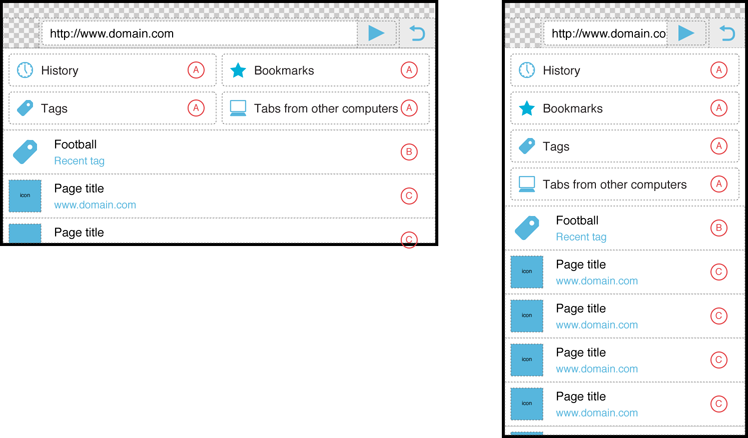
| 10:02, 7 June 2010 | Awesomescreen content structure main view.png (file) |  |
82 KB | UI Design for Fennec Awesomescreen | 1 |
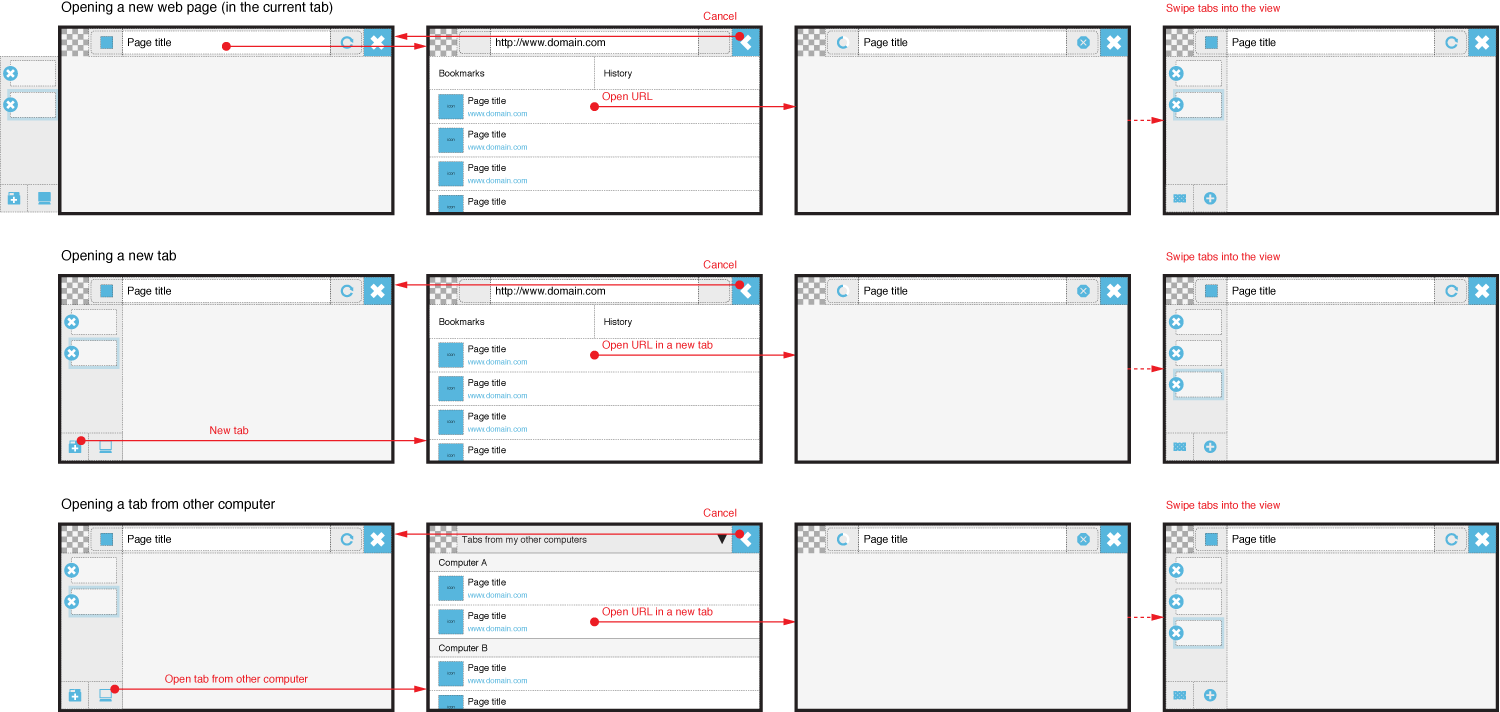
| 11:49, 23 February 2010 | Fennec flow for opening new tabs.png (file) |  |
111 KB | 2 | |
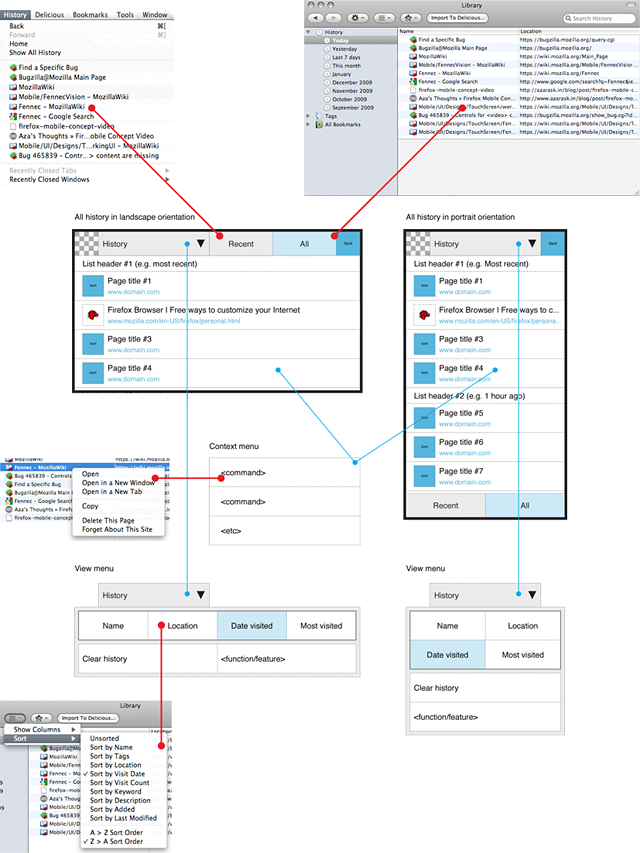
| 14:19, 19 February 2010 | Ref firefox history UI.png (file) |  |
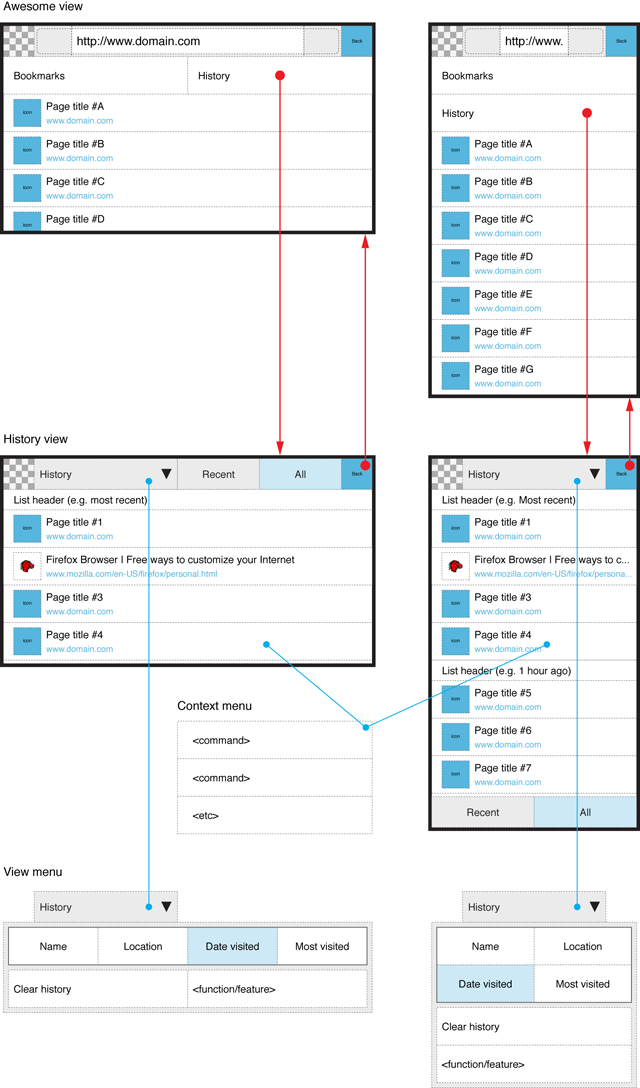
282 KB | Fennec 1.1+ History UI and the corresponding functions/features in Desktop Firefox (3.5.x) | 1 |
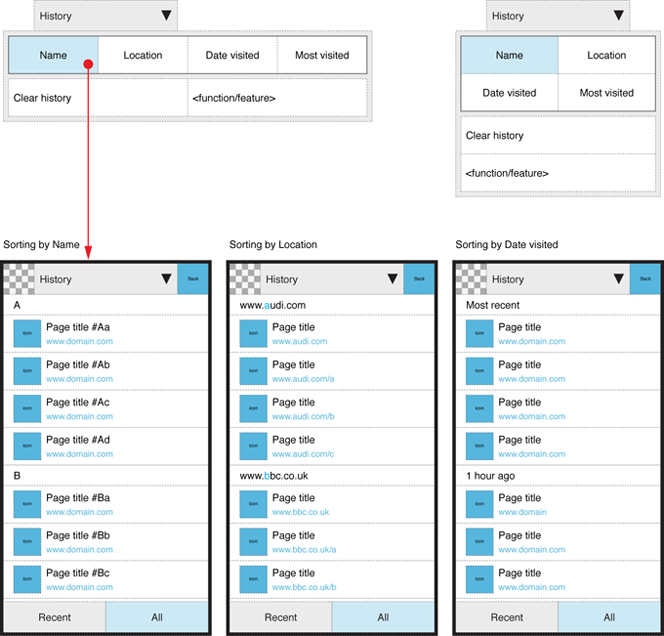
| 14:09, 19 February 2010 | Fennec history view sorting.png (file) |  |
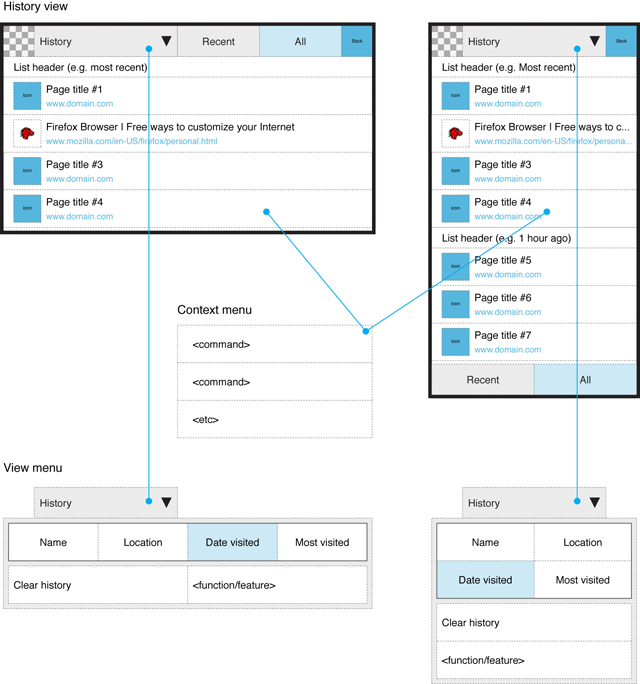
189 KB | Fennec 1.1+ Sorting history items | 1 |
| 14:05, 19 February 2010 | Fennec history view tabs.png (file) |  |
163 KB | Fennec 1.1+ Tabs for switching different kind of presentation of History items. | 1 |
| 13:55, 19 February 2010 | Fennec history overview.png (file) |  |
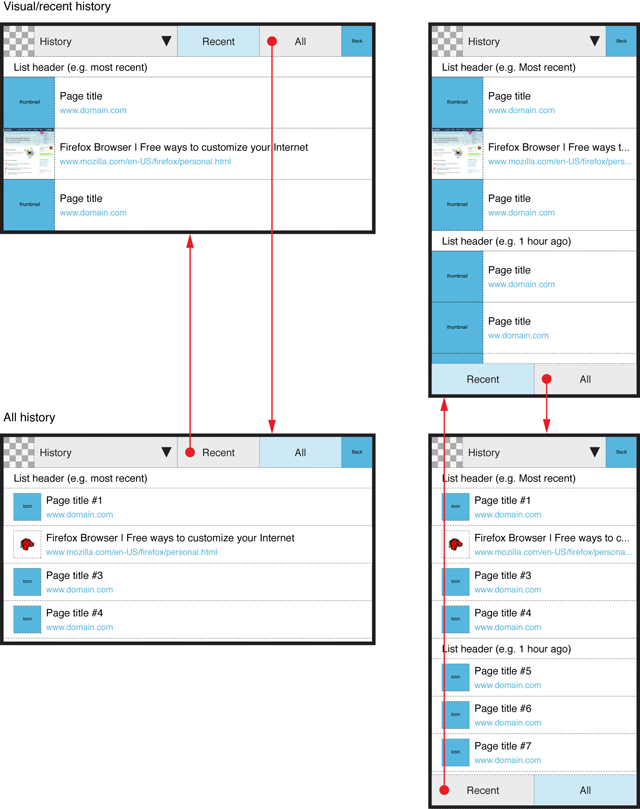
197 KB | Fennec 1.1+ Overview to History feature | 1 |
| 13:52, 19 February 2010 | Fennec history view elements.png (file) |  |
128 KB | Fennec 1.1+ History view elements. | 1 |
| 14:41, 28 January 2010 | Fennec Add-ons UI flow for uninstalling add-on.png (file) |  |
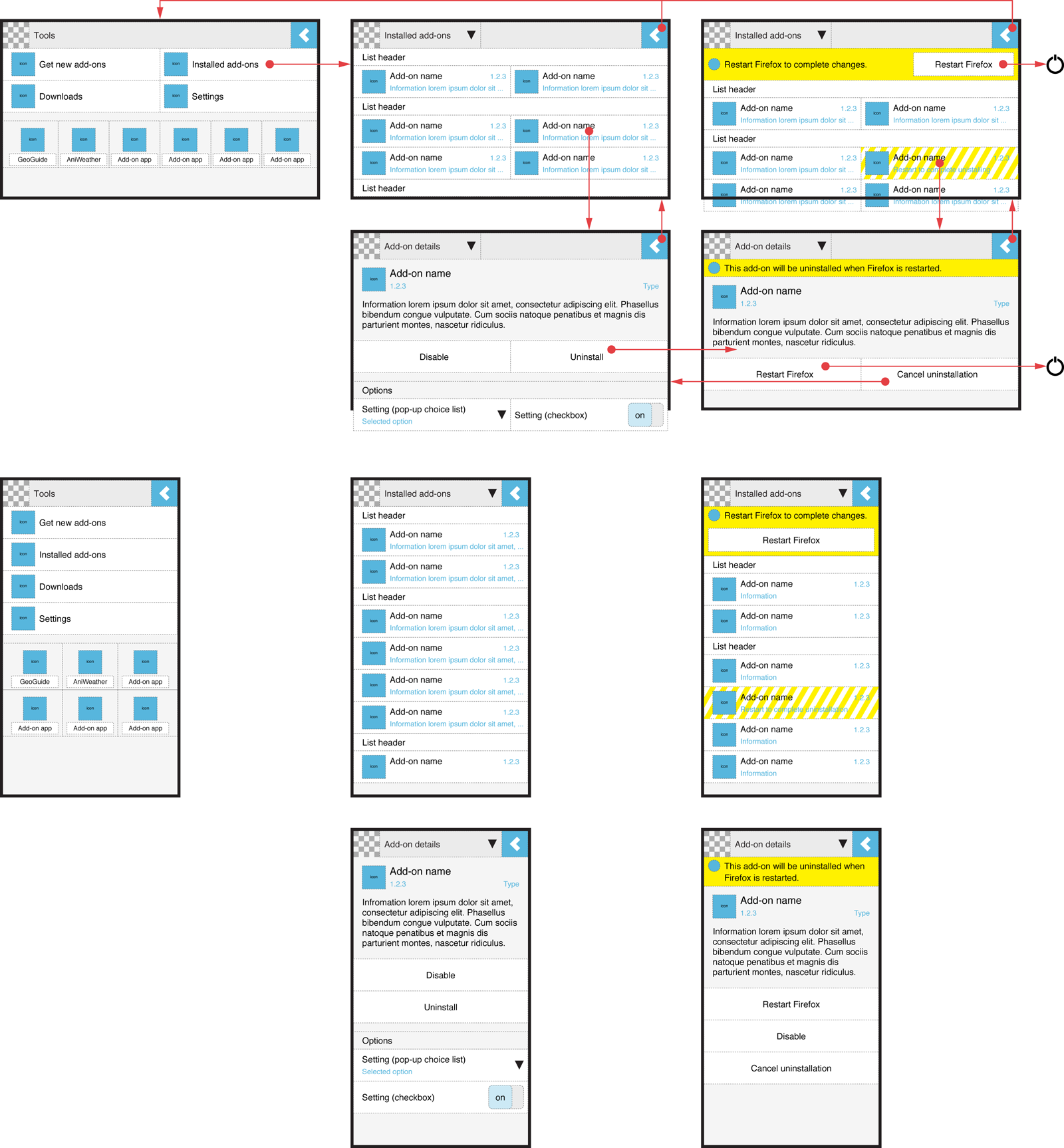
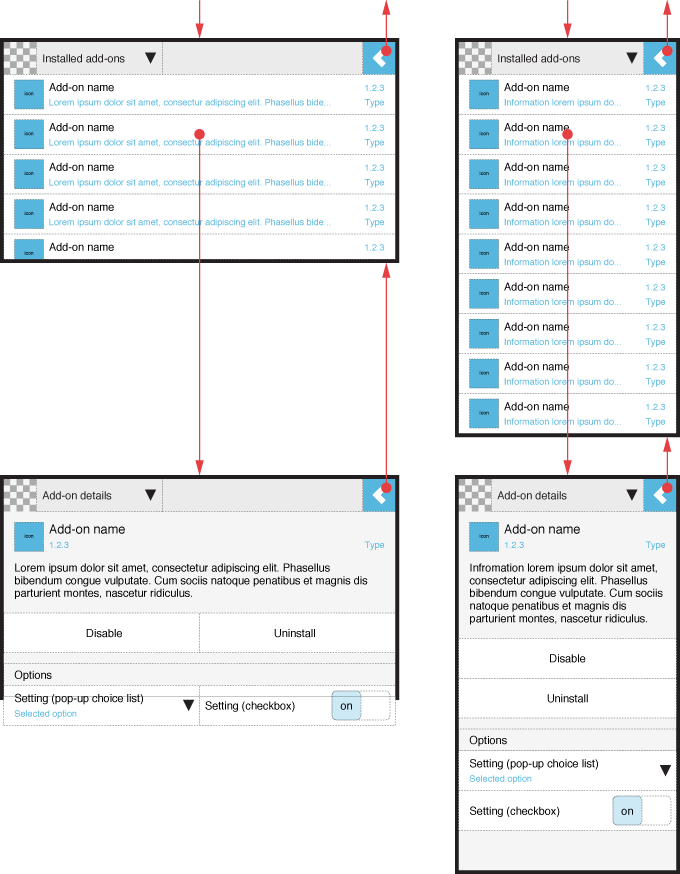
674 KB | Redesign for Add-ons UI of Fennec 1.1+ UI views and flow for uninstalling an add-on. | 1 |
| 14:02, 28 January 2010 | Fennec Add-ons UI Getting add-ons osk.png (file) |  |
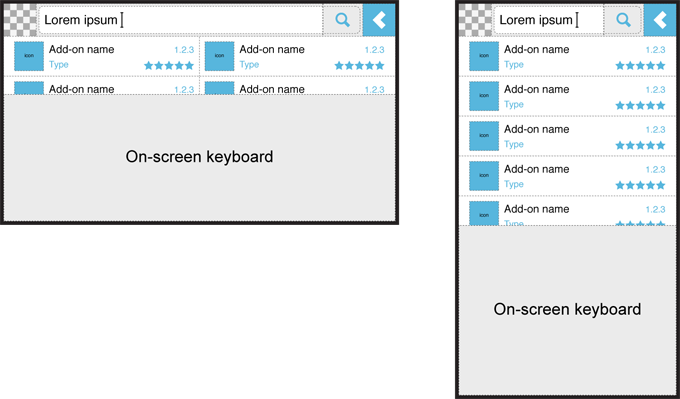
74 KB | Redesign of Add-ons UI for Fennec 1.1+ Searching new add-ons with On-screen keyboard. | 1 |
| 13:07, 28 January 2010 | Fennec Add-ons UI Main views for Getting add-ons.png (file) |  |
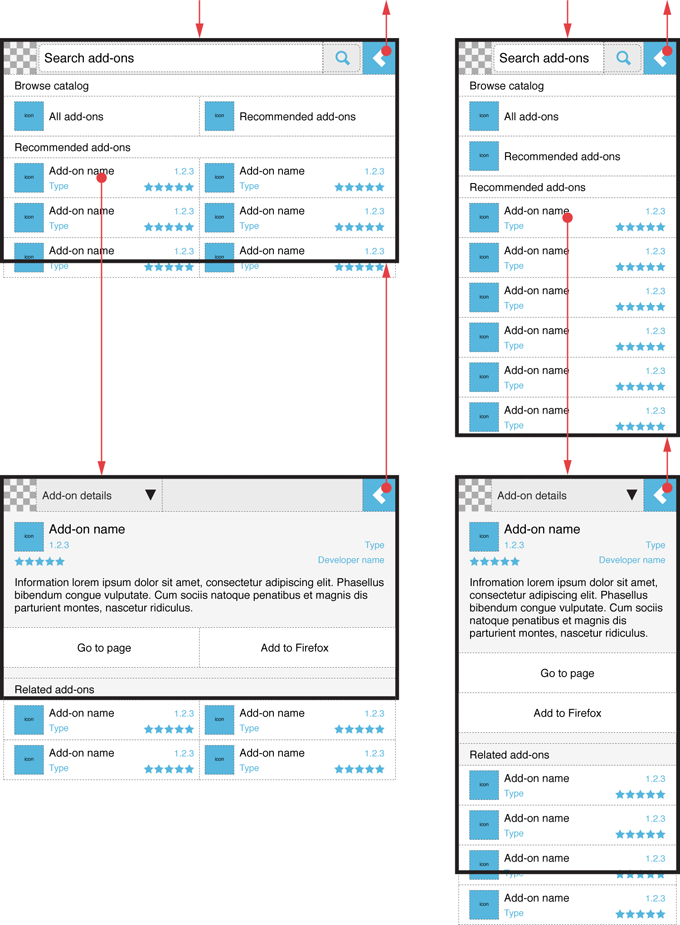
221 KB | Fixed the string in the Search bar for Portrait orientation. | 3 |
| 11:22, 28 January 2010 | Fennec Tools UI optimized for Add-on apps.png (file) |  |
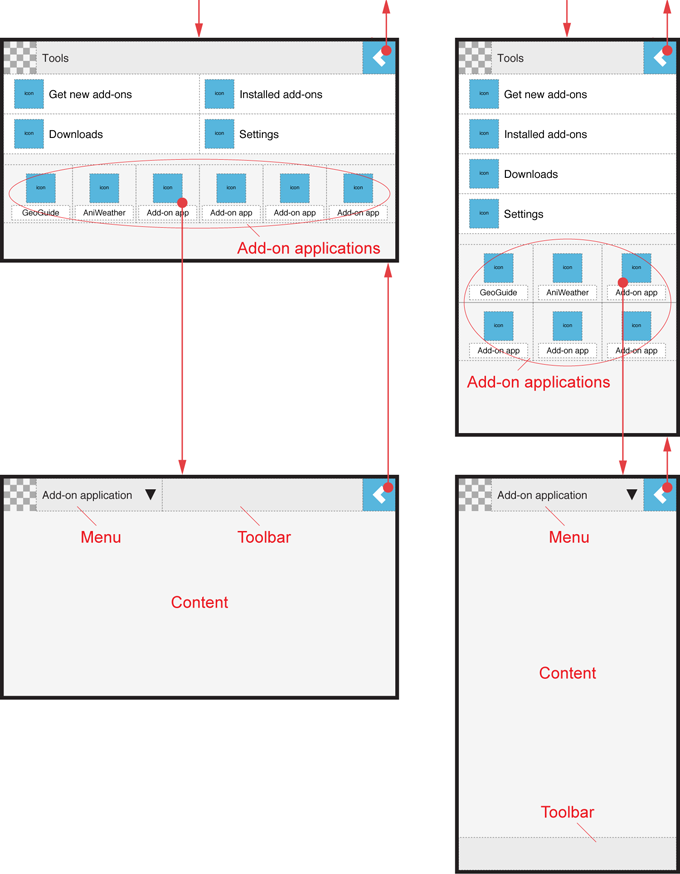
128 KB | Redesign of Tools UI for Fennec 1.1+ Optimized UI for Add-on applications. | 1 |
| 10:59, 28 January 2010 | Fennec Tools UI optimized for Add-ons.png (file) |  |
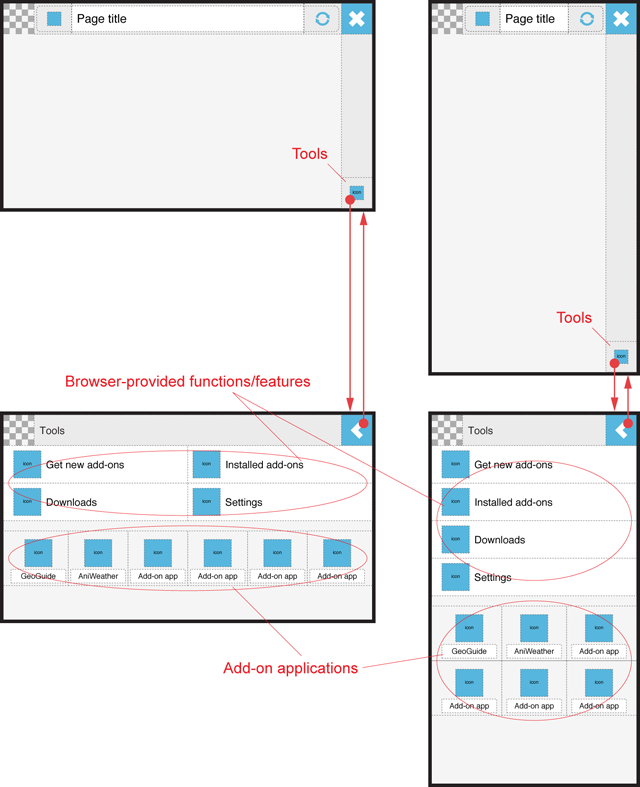
136 KB | Removed add-on application from the image (an uploaded another image for it). | 2 |
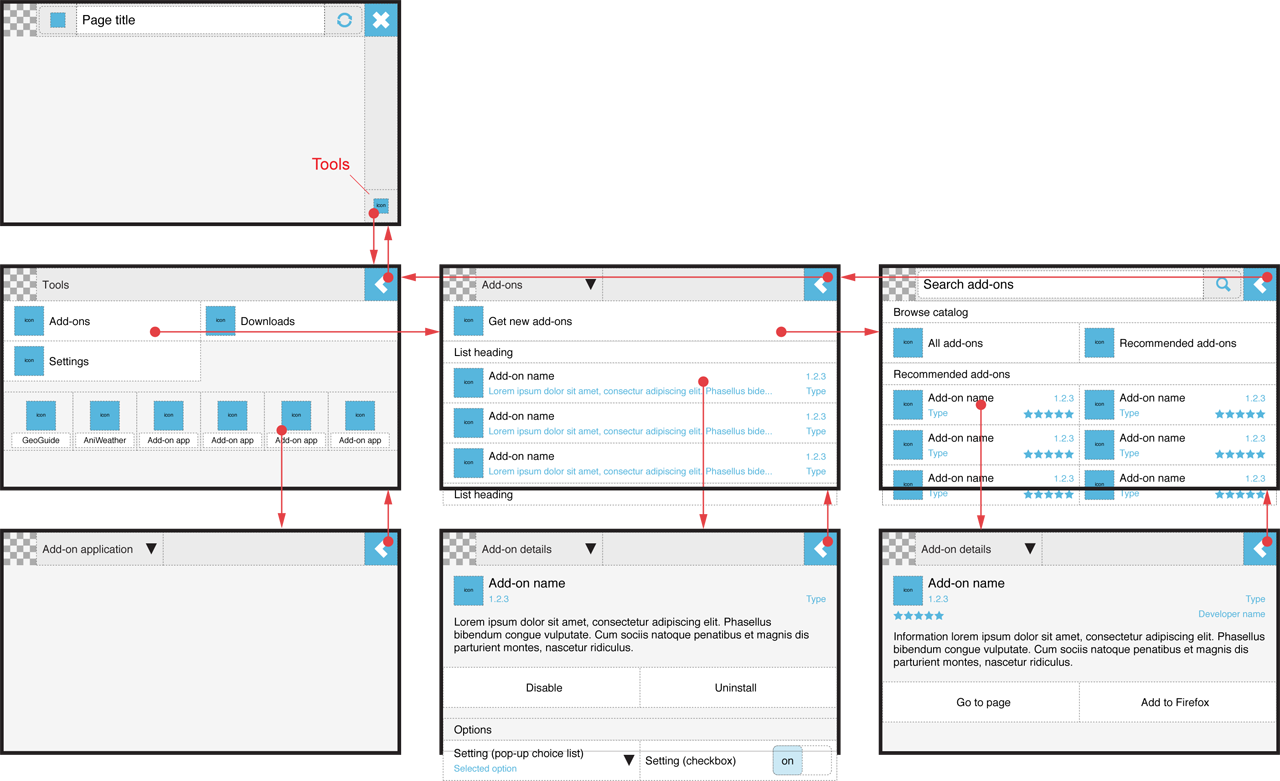
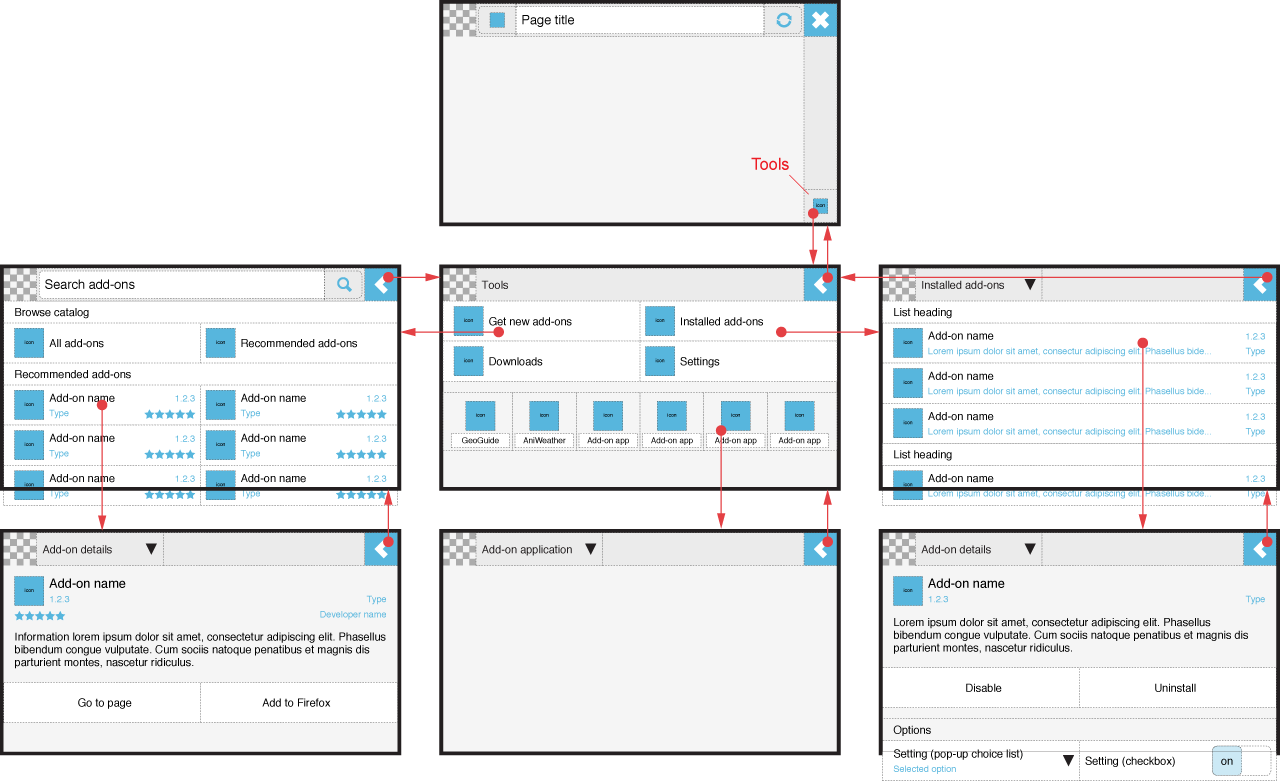
| 15:06, 25 January 2010 | Fennec Tools and Add-ons Alt B Main views Landscape.png (file) |  |
264 KB | Tools and Add-ons UI for Fennec 1.1+ Alternative B. Landscape / wide screen. | 1 |
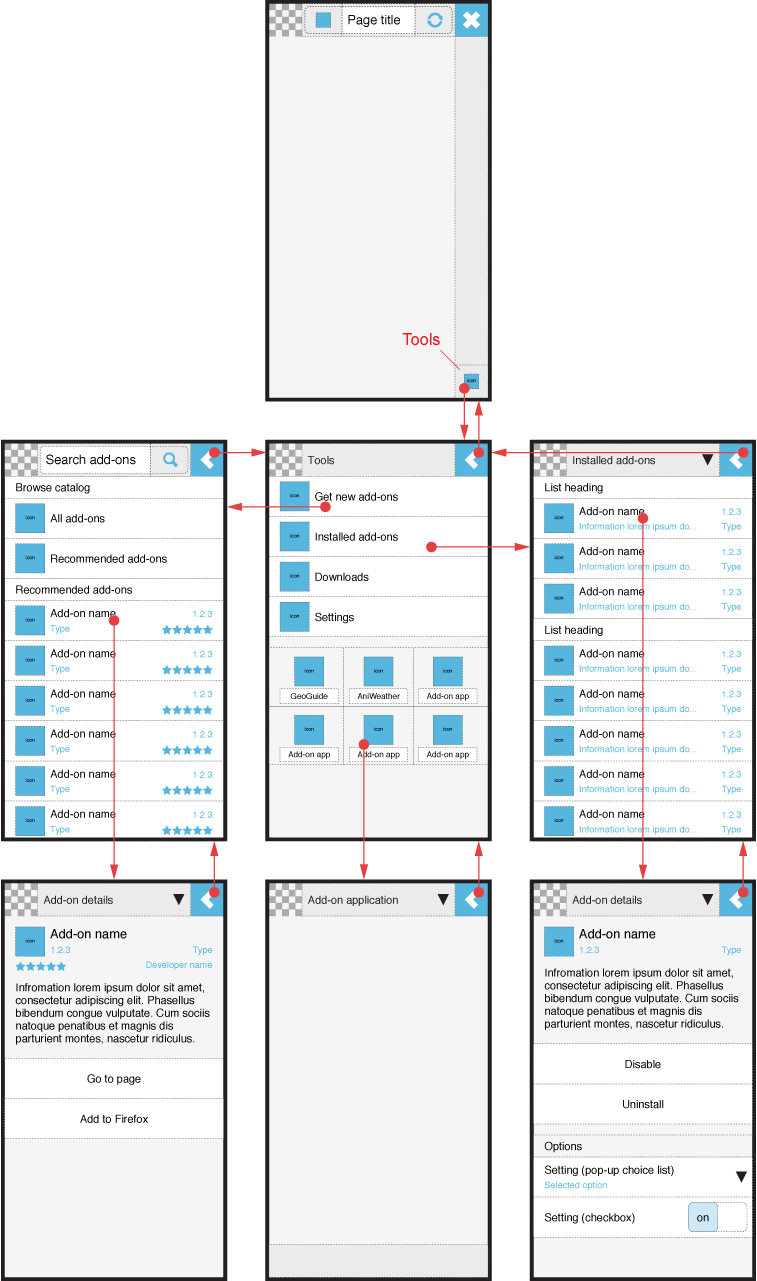
| 15:05, 25 January 2010 | Fennec Tools and Add-ons Alt B Main views Portrait.png (file) |  |
283 KB | Tools and Add-ons UI for Fennec 1.1+ Alternative B. Portrait / narrow screen. | 1 |
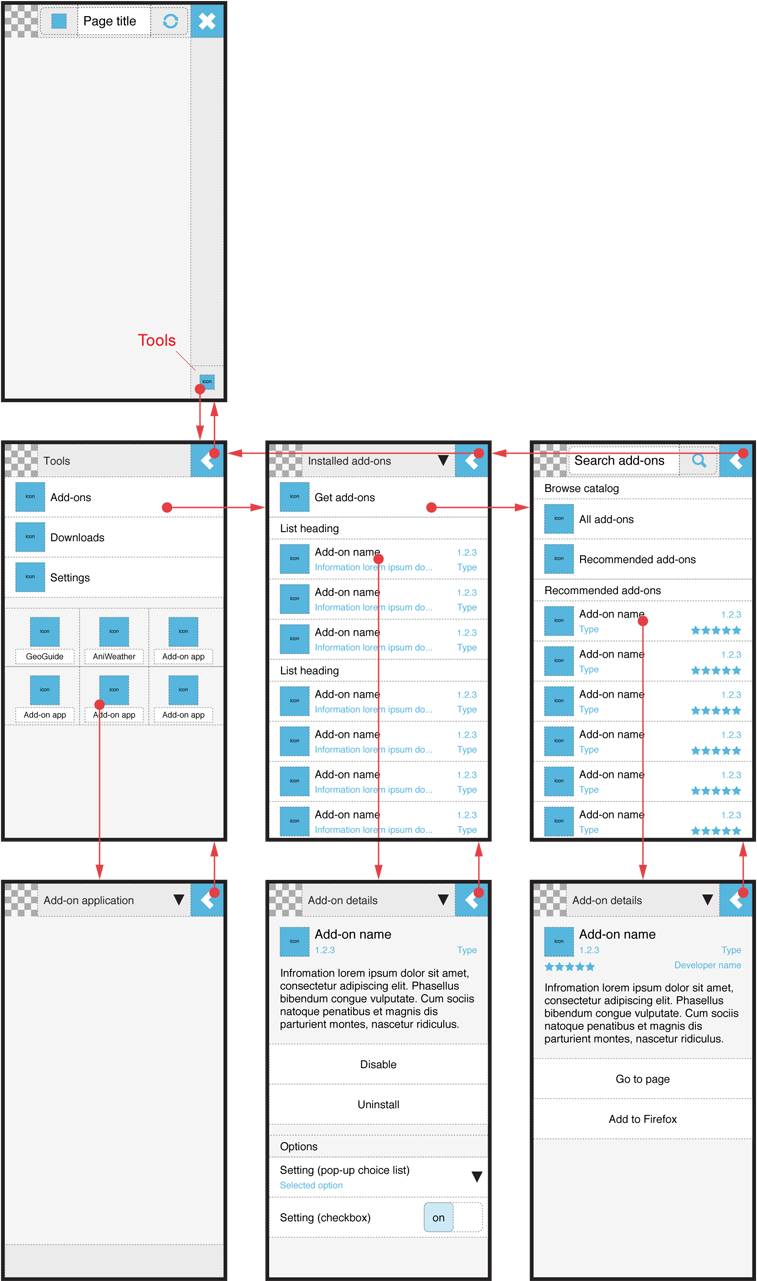
| 14:28, 25 January 2010 | Fennec Tools and Add-ons Alt A Main views Portrait.png (file) |  |
123 KB | Tools and Add-ons UI for Fennec 1.1+ Alternative A. Portrait / Narrow screen. | 1 |
| 14:26, 25 January 2010 | Fennec Tools and Add-ons Alt A Main views Landscape.png (file) |  |
116 KB | Tools and Add-ons UI for Fennec 1.1+ Alternative A. Landscape / wide screen. | 1 |
| 14:12, 25 January 2010 | Fennec Add-ons UI Main views for Installed add-ons.png (file) |  |
83 KB | Updated checkbox | 2 |
| 13:34, 22 January 2010 | Extended site menu item layout.png (file) |  |
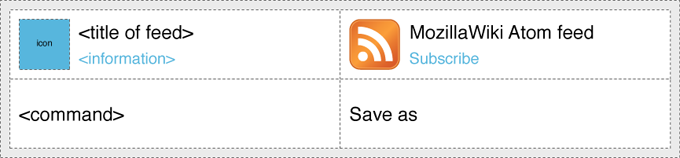
39 KB | Layout of individual items in the site menu of Fennec. | 1 |
| 11:55, 22 January 2010 | Extended site menu command order.png (file) |  |
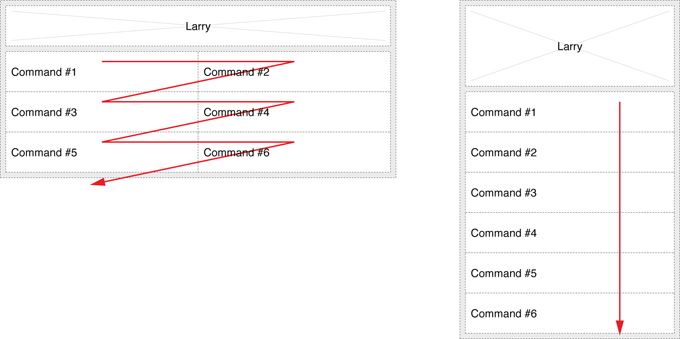
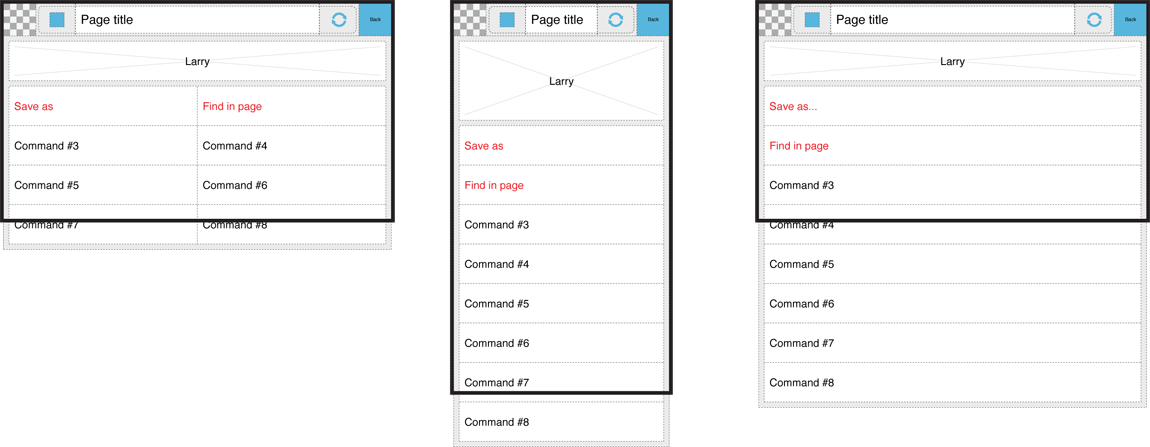
55 KB | Order of Fennec´s site menu commands in landscape and portrait orientation. | 1 |
| 11:52, 22 January 2010 | Extended site menu basic structure example.png (file) |  |
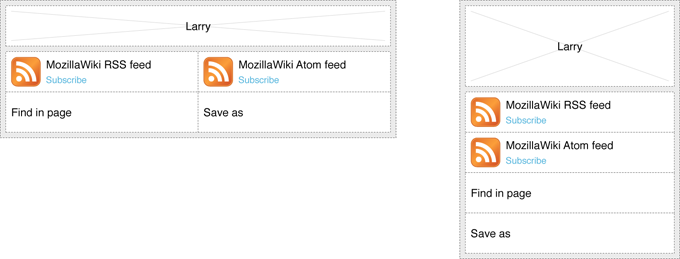
50 KB | Layout and structure of the site menu of Fennec with real examples for items: feeds, Find in page and Save as. | 1 |
| 11:49, 22 January 2010 | Extended site menu basic structure.png (file) |  |
37 KB | Layout and basic structure of the site menu of Fennec both in portrait and landscape orientation of the device. | 1 |
| 11:47, 22 January 2010 | Extended site menu item functionality.png (file) |  |
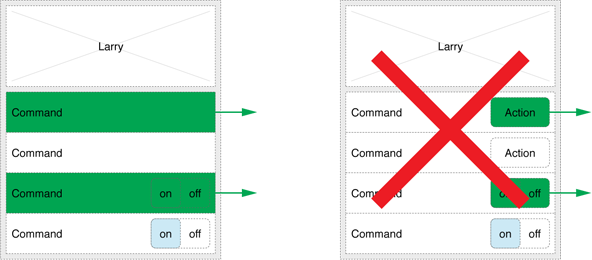
55 KB | Description of functionality of the items in the site menu of Fennec. Green areas describe the active area for a menu command. | 1 |
| 11:44, 22 January 2010 | Extended site menu opening and closing.png (file) |  |
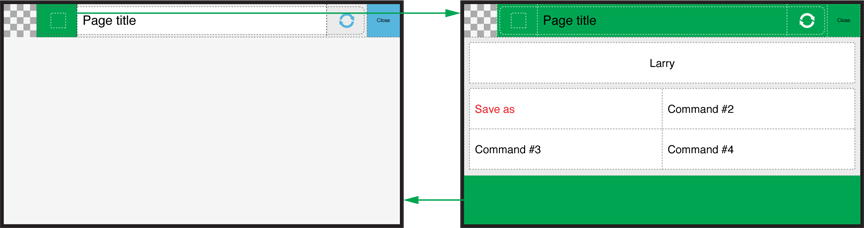
40 KB | Clarification how the user should be able to open and close the site menu of Fennec. Active areas for doing these actions are green in the image. | 1 |
| 11:39, 22 January 2010 | Extended site menu columns comparison.png (file) |  |
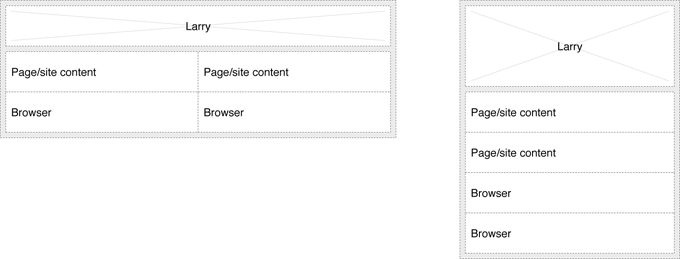
118 KB | Comparison of displaying options in one and two columns in the site menu of Fennec. The two-column layout applies to landscape orientation. | 1 |
| 15:10, 21 January 2010 | Awesomebar layout option B 15 engine list alt.png (file) |  |
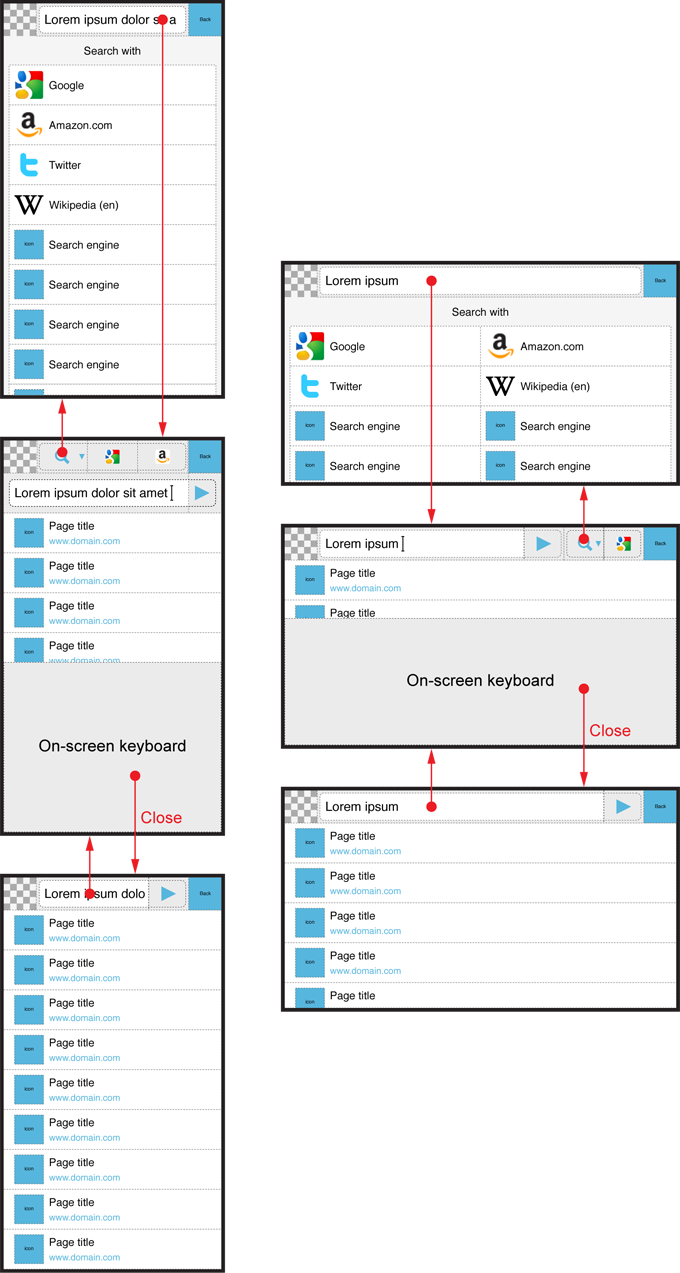
306 KB | Option B for Awesome screen layout revision. Alternative layouts for search engine selection list | 1 |
| 13:36, 21 January 2010 | Awesomebar layout option B 14 portrait alt 2.png (file) |  |
36 KB | Option B for Awesome screen layout revision. Alternative layout for narrow screen / portrait use. | 1 |
| 13:34, 21 January 2010 | Awesomebar layout option B 13 portrait alt 1.png (file) |  |
42 KB | Option B for Awesome screen layout revision. Alternative layouts for narrow screen / portrait use. Alternative 1 | 1 |
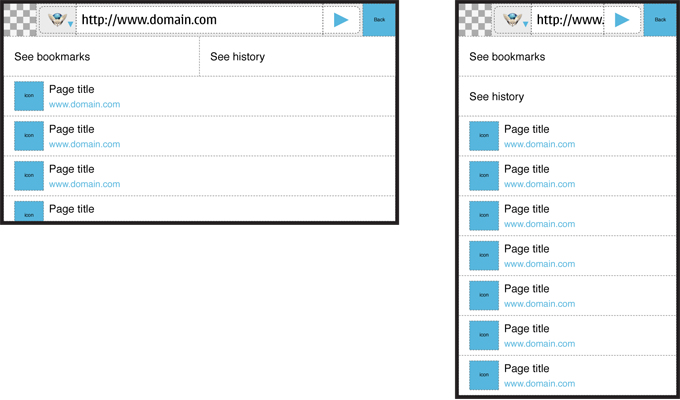
| 12:50, 21 January 2010 | Awesomebar layout option B 12 portrait layouts.png (file) |  |
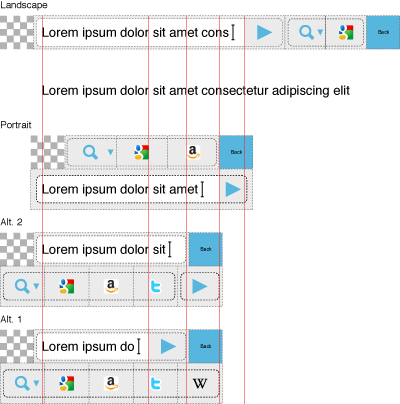
36 KB | Option B for Awesome screen layout revision. Alternative layouts for narrow screen / portrait use. Impact of different layouts to the width of address/text input field. | 1 |
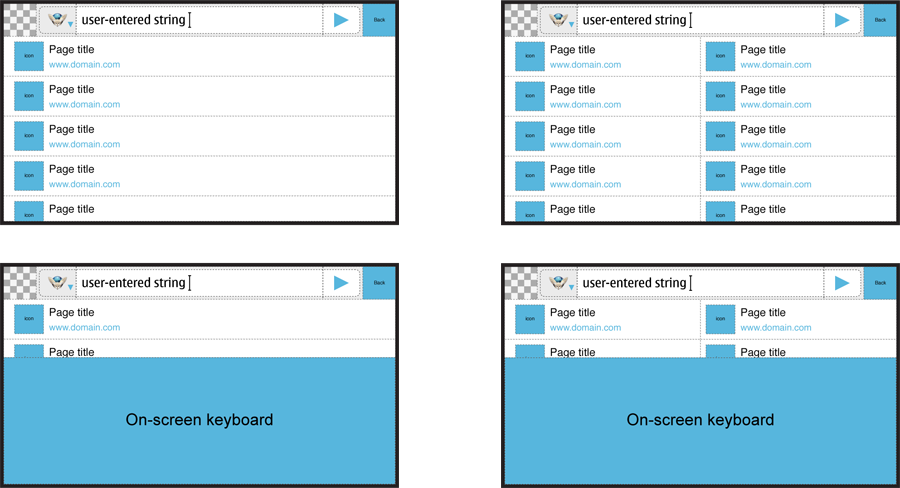
| 14:45, 20 January 2010 | Awesomebar layout option B 11 two columns.png (file) |  |
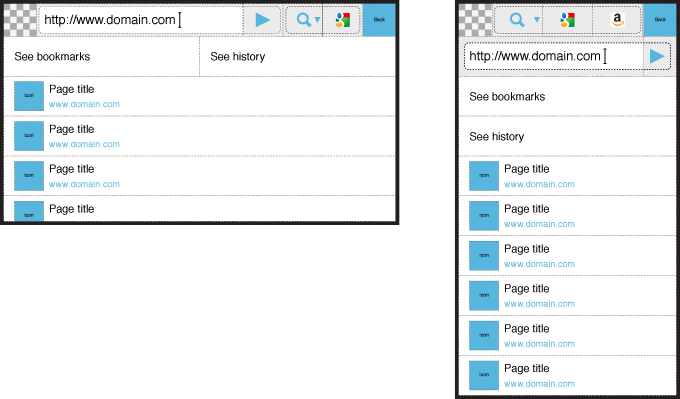
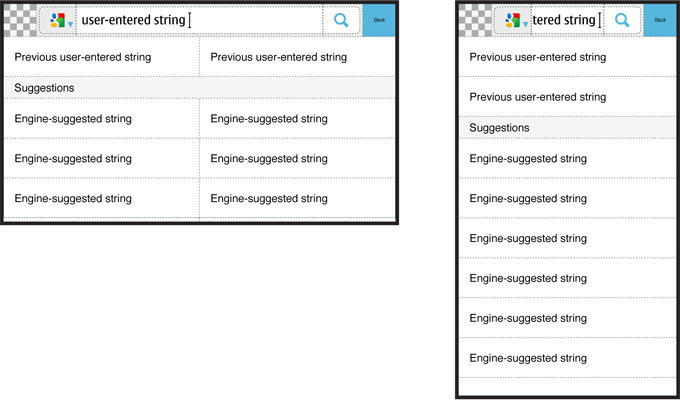
72 KB | Option B for Awesome screen layout revision. Wide screen / landscape use. Editing with keyboard. Showing suggestions in two columns. | 1 |
| 14:24, 20 January 2010 | Awesomebar layout option B 10 layout adaptation.png (file) |  |
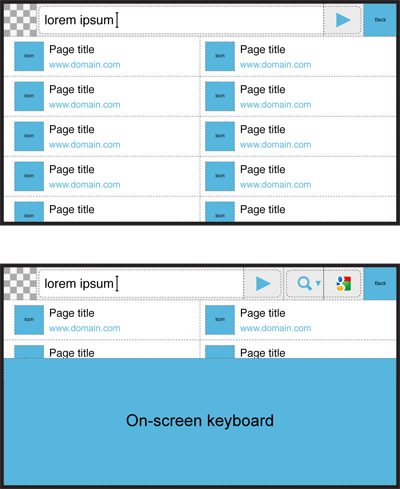
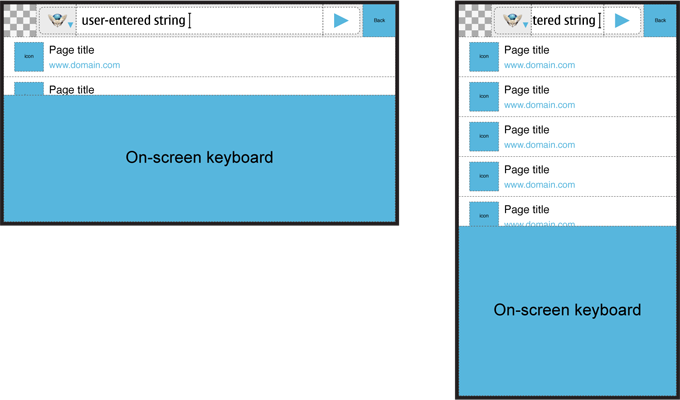
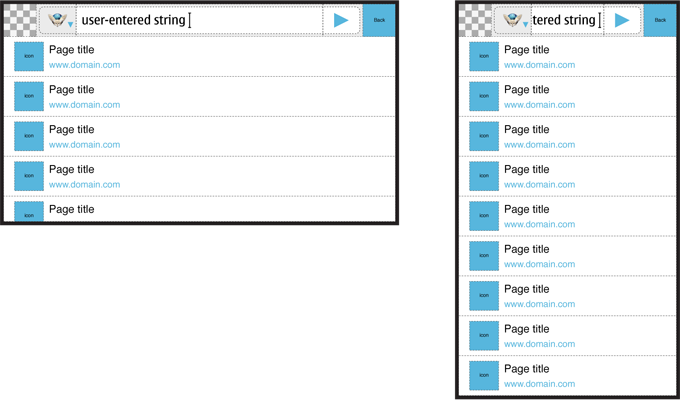
233 KB | Option B for Awesome screen layout revision. Wide screen / landscape and narrow screen / portrait use. On-screen keyboard. Adaptation of layout to different use cases. | 1 |
| 13:57, 20 January 2010 | Awesomebar layout option B 09 adaptation.png (file) |  |
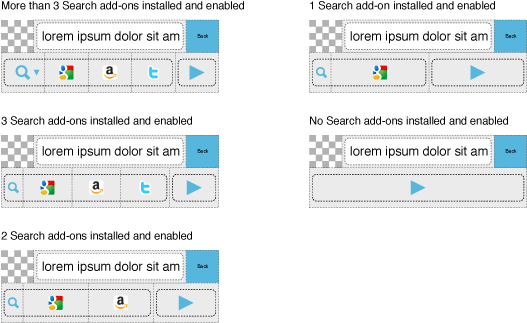
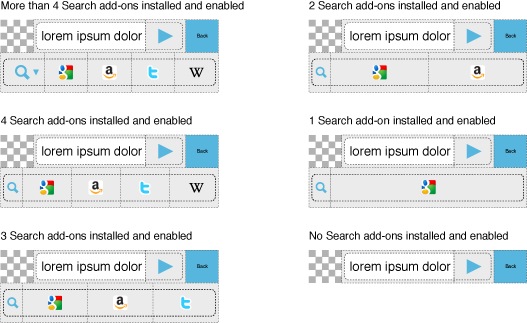
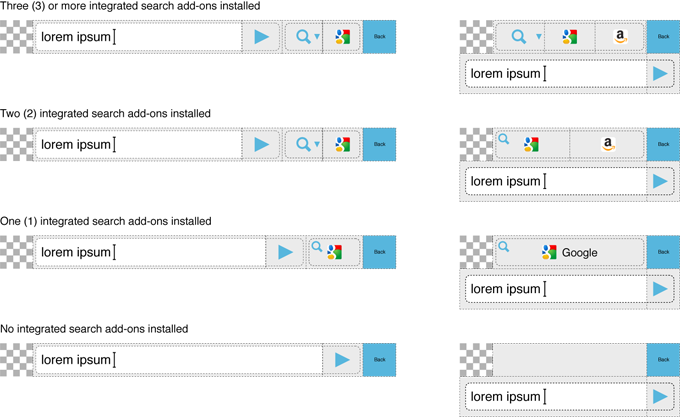
94 KB | Option B for Awesome screen layout revision. Wide screen / landscape and narrow screen / portrait use. Adaptation to different number of installed Search engine add-ons. | 1 |
| 13:04, 20 January 2010 | Awesomebar layout option B 08 edited state osk.png (file) |  |
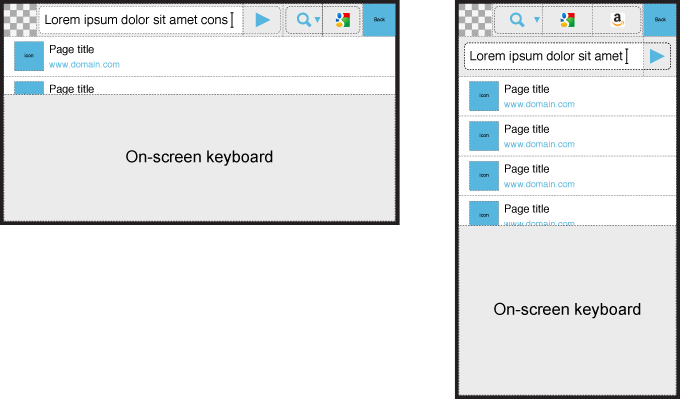
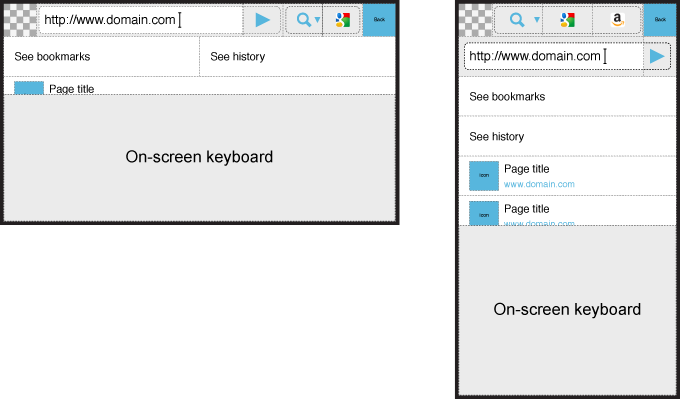
35 KB | Option B for Awesome screen layout revision. Wide screen / landscape and narrow screen / portrait use. Editing with On-screen keyboard. The user is editing text with On-screen keyboard. | 1 |
| 13:03, 20 January 2010 | Awesomebar layout option B 07 edited state hwk.png (file) |  |
40 KB | Option B for Awesome screen layout revision. Wide screen / landscape and narrow screen / portrait use. Editing with Hardware keyboard. The user is editing text with Hardware keyboard. | 1 |
| 13:02, 20 January 2010 | Awesomebar layout option B 06 edited state no focus.png (file) |  |
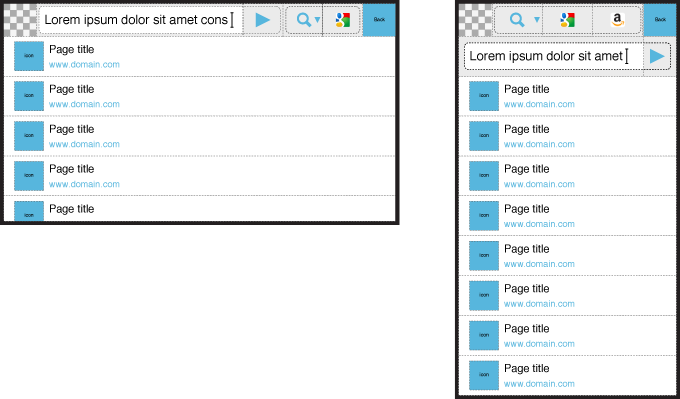
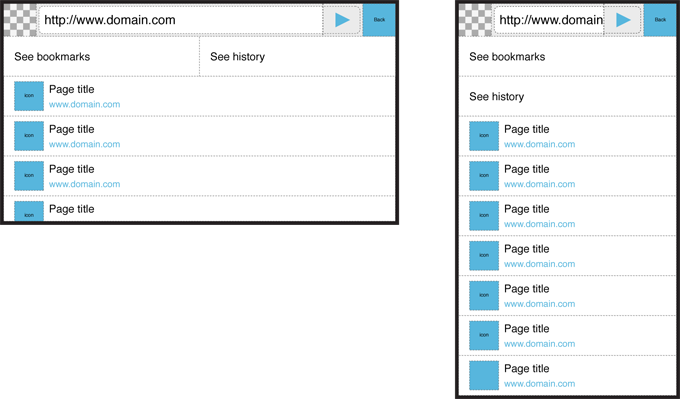
36 KB | Option B for Awesome screen layout revision. Wide screen / landscape and narrow screen / portrait use. Editing with Hardware or On-screen keyboard. The user has edited the text inside the address field but removed focus from it. | 1 |
| 12:25, 20 January 2010 | Awesomebar layout option B 05 initial state focus osk.png (file) |  |
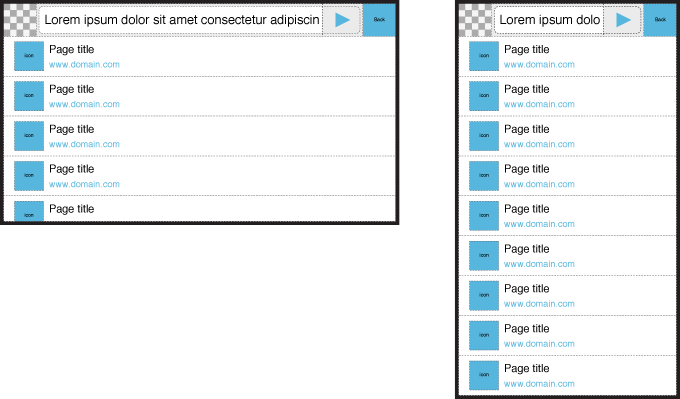
32 KB | Option B for Awesome screen layout revision. Wide screen / landscape and narrow screen / portrait use. Editing with On-screen keyboard. The user has set focus to address field but has not edited the text yet. | 1 |
| 12:24, 20 January 2010 | Awesomebar layout option B 04 initial state focus hwk.png (file) |  |
40 KB | Option B for Awesome screen layout revision. Wide screen / landscape and narrow screen / portrait use. Editing with Hardware keyboard. The user has set focus to address field but has not edited the text yet. | 2 |
| 12:22, 20 January 2010 | Awesomebar layout option B 03 initial state no focus.png (file) |  |
74 KB | Option B for Awesome screen layout revision. Wide screen / landscape and narrow screen / portrait use. Editing with Hardware or On-screen keyboard. The user has just arrived to Awesome view and has not set focus to address field yet. | 1 |
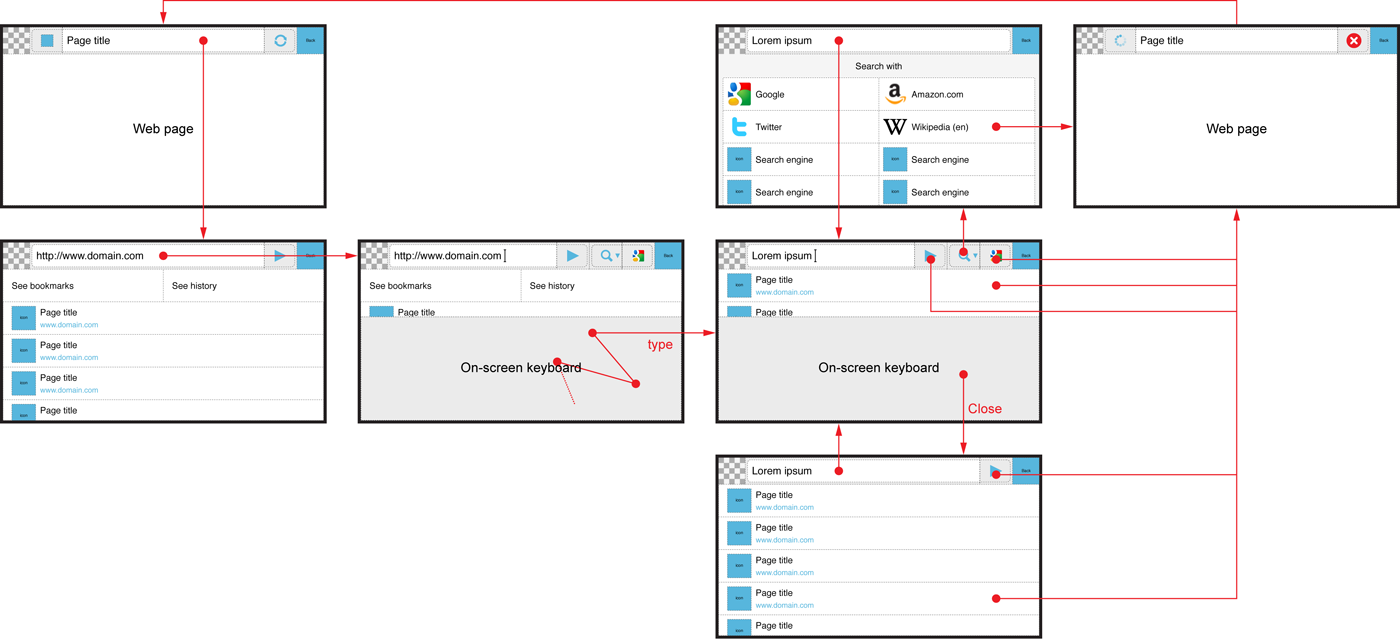
| 10:52, 20 January 2010 | Awesomebar layout option B 02 UI-flow.png (file) |  |
161 KB | Option B for Awesome screen layout revison: UI flow. Text input with On-screen keyboard. | 1 |
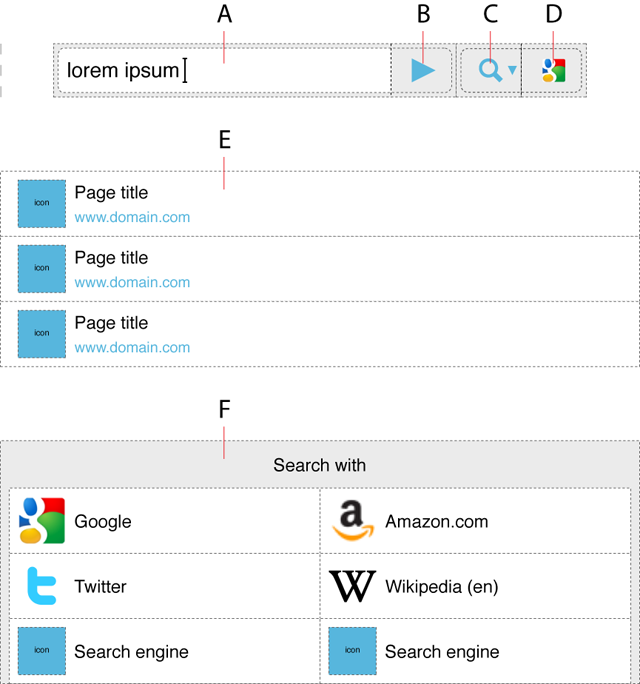
| 08:45, 20 January 2010 | Awesomebar layout option B 01 overview.png (file) |  |
101 KB | Option B for Awesome screen layout revision: overview to UI elements. | 1 |
| 13:03, 18 January 2010 | Awesomebar layout option A default view.png (file) |  |
76 KB | Awesome bar layout revision: Option A. | 1 |
| 12:48, 18 January 2010 | Awesomebar layout option A landscape case.png (file) |  |
129 KB | Awesome bar layout revision: Option A. Optimizing the layout for suggestions in wide screen / landscape case. | 1 |
| 12:46, 18 January 2010 | Awesomebar layout option A portrait case.png (file) |  |
202 KB | Awesome bar layout revision: Option A. Optimizing the area for text input in narrow screen / portrait case. | 1 |
| 10:53, 18 January 2010 | Awesomebar layout option A 10 680x400.png (file) |  |
64 KB | Awesome bar layout revision: Option A. | 1 |
| 10:52, 18 January 2010 | Awesomebar layout option A 09 680x400.png (file) |  |
80 KB | Awesome bar layout revision: Option A. | 1 |
| 10:51, 18 January 2010 | Awesomebar layout option A 08 680x400.png (file) |  |
66 KB | Awesome bar layout revision: Option A. | 1 |
| 10:50, 18 January 2010 | Awesomebar layout option A 07 680x400.png (file) |  |
78 KB | Awesome bar layout revision: Option A. | 1 |
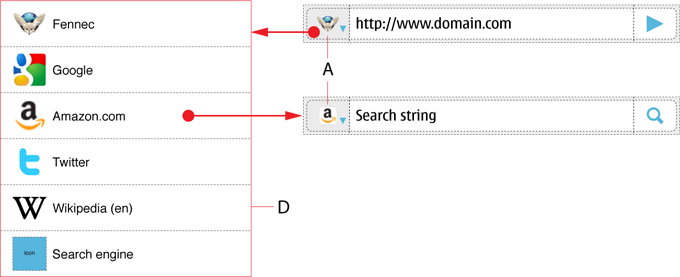
| 10:09, 18 January 2010 | Awesomebar layout option A 04 preview 2010-01-18.png (file) |  |
48 KB | Option for Fennec Awesome screen layout revision. Use case of selecting engine. | 1 |
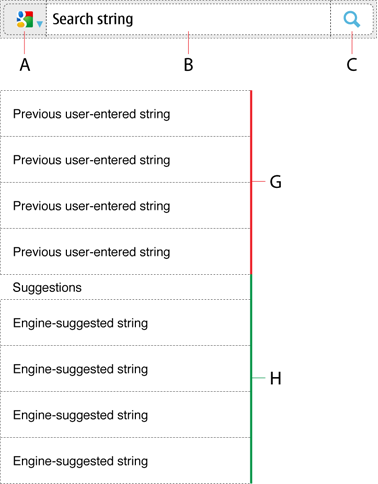
| 10:08, 18 January 2010 | Awesomebar layout option A 03 preview 2010-01-18.png (file) |  |
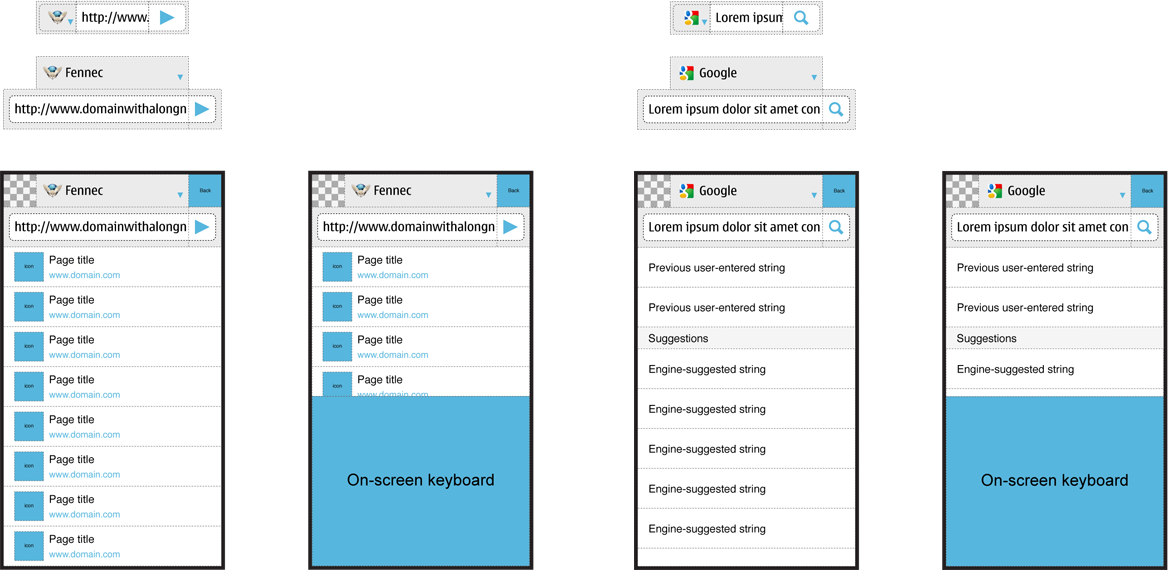
51 KB | Option for Fennec Awesome screen layout revision. Use case of entering search phrase. | 1 |
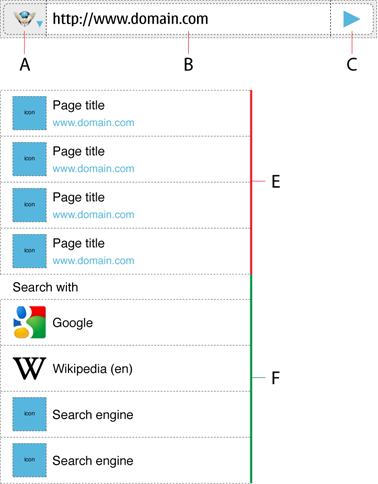
| 10:06, 18 January 2010 | Awesomebar layout option A 02 preview 2010-01-18.png (file) |  |
56 KB | Option for Fennec Awesome screen layout revision. Use case of entering web address. | 2 |
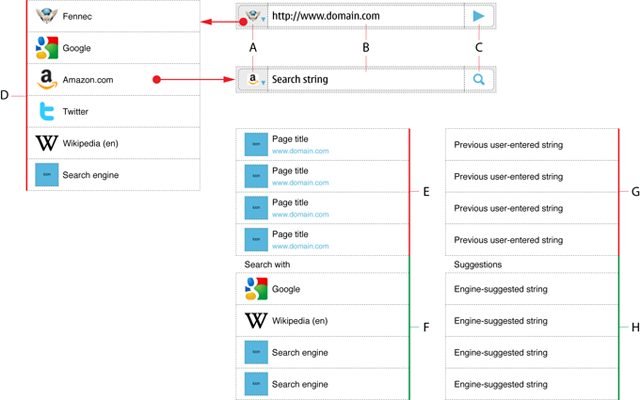
| 09:33, 18 January 2010 | Awesomebar layout option A 01 preview 2010-01-18.png (file) |  |
89 KB | Option for Fennec Awesome bar revision. Overview to components. | 1 |