Labs/Ubiquity/Locked-Down Feed Tutorial: Difference between revisions
(Origination) |
(Added introduction) |
||
| Line 1: | Line 1: | ||
Back to [[Labs/Ubiquity]]. | Back to [[Labs/Ubiquity]]. | ||
''TODO: | == Introduction == | ||
Locked-Down Feeds are just one way to write functionality that can be used | |||
from anywhere. The advantage of of this kind of feed is that all code is run | |||
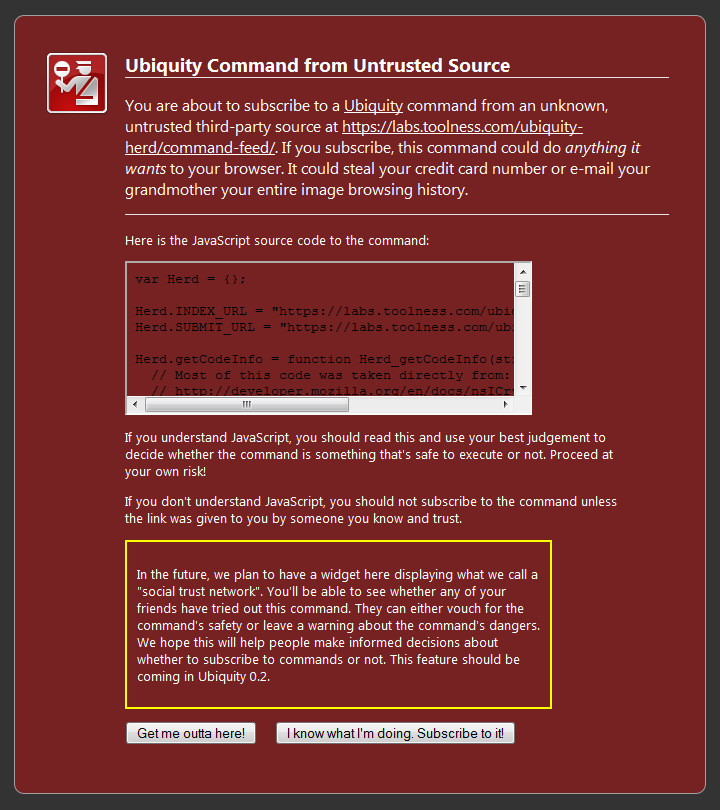
in a very restricted sandbox that has minimal access to the outside environment—for instance, it can't access the network or the local filesystem. This means that subscribing to such feeds is worry-free: unlike regular command feeds, there's no [[Media:Warning.PNG|scary warning page]] to read. Instead, subscribing to a Locked-Down Feed results in the following unintrusive confirmation: | |||
''TODO: Insert image here.'' | |||
The downside, of course, is that this safety comes at the cost of flexibility: put simply, you can't do nearly as much with Locked-Down Feeds as you can with regular feeds, but it can still be used to make a variety of useful commands. | |||
== External Resources == | |||
[http://www.toolness.com/wp/?p=426 Atul's Feed Plugins post] | [http://www.toolness.com/wp/?p=426 Atul's Feed Plugins post] | ||
[https://ubiquity.mozilla.com/hg/ubiquity-firefox/raw-file/tip/ubiquity/index.html#modules/locked_down_feed_plugin.js LDFP Reference Documentation] | [https://ubiquity.mozilla.com/hg/ubiquity-firefox/raw-file/tip/ubiquity/index.html#modules/locked_down_feed_plugin.js LDFP Reference Documentation] | ||
Revision as of 16:52, 17 March 2009
Back to Labs/Ubiquity.
Introduction
Locked-Down Feeds are just one way to write functionality that can be used from anywhere. The advantage of of this kind of feed is that all code is run in a very restricted sandbox that has minimal access to the outside environment—for instance, it can't access the network or the local filesystem. This means that subscribing to such feeds is worry-free: unlike regular command feeds, there's no scary warning page to read. Instead, subscribing to a Locked-Down Feed results in the following unintrusive confirmation:
TODO: Insert image here.
The downside, of course, is that this safety comes at the cost of flexibility: put simply, you can't do nearly as much with Locked-Down Feeds as you can with regular feeds, but it can still be used to make a variety of useful commands.