Labs/Ubiquity/Locked-Down Feed Tutorial: Difference between revisions
(Added introduction) |
(Linked to subscription successful image) |
||
| Line 7: | Line 7: | ||
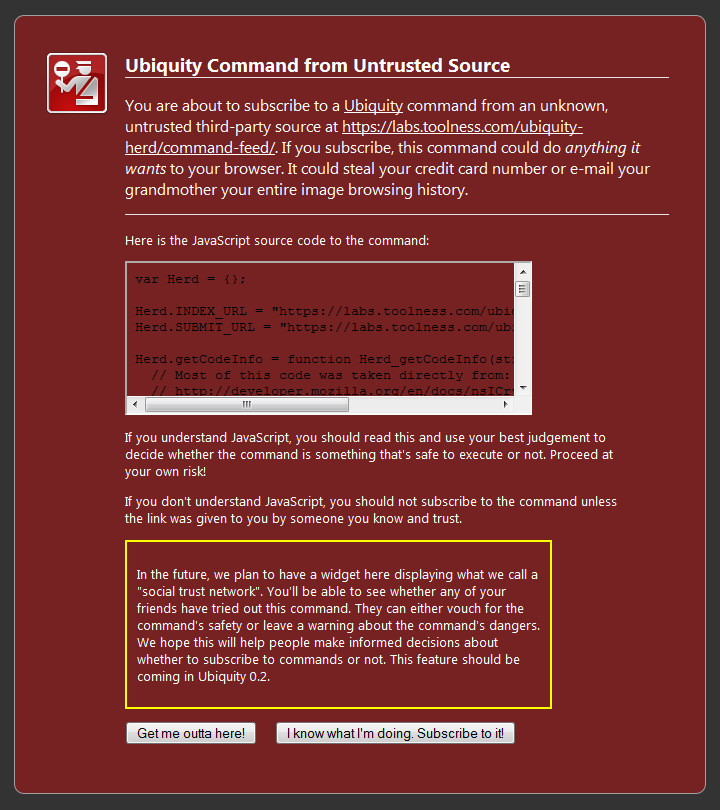
in a very restricted sandbox that has minimal access to the outside environment—for instance, it can't access the network or the local filesystem. This means that subscribing to such feeds is worry-free: unlike regular command feeds, there's no [[Media:Warning.PNG|scary warning page]] to read. Instead, subscribing to a Locked-Down Feed results in the following unintrusive confirmation: | in a very restricted sandbox that has minimal access to the outside environment—for instance, it can't access the network or the local filesystem. This means that subscribing to such feeds is worry-free: unlike regular command feeds, there's no [[Media:Warning.PNG|scary warning page]] to read. Instead, subscribing to a Locked-Down Feed results in the following unintrusive confirmation: | ||
http://www.toolness.com/images/20090317100145.jpg | |||
The downside, of course, is that this safety comes at the cost of flexibility: put simply, you can't do nearly as much with Locked-Down Feeds as you can with regular feeds, but it can still be used to make a variety of useful commands. | The downside, of course, is that this safety comes at the cost of flexibility: put simply, you can't do nearly as much with Locked-Down Feeds as you can with regular feeds, but it can still be used to make a variety of useful commands. | ||
Revision as of 17:02, 17 March 2009
Back to Labs/Ubiquity.
Introduction
Locked-Down Feeds are just one way to write functionality that can be used from anywhere. The advantage of of this kind of feed is that all code is run in a very restricted sandbox that has minimal access to the outside environment—for instance, it can't access the network or the local filesystem. This means that subscribing to such feeds is worry-free: unlike regular command feeds, there's no scary warning page to read. Instead, subscribing to a Locked-Down Feed results in the following unintrusive confirmation:

The downside, of course, is that this safety comes at the cost of flexibility: put simply, you can't do nearly as much with Locked-Down Feeds as you can with regular feeds, but it can still be used to make a variety of useful commands.