Firefox/Windows 8 Integration
Wiki
Windows_8_Integration - General 3rd party browser collaboration page dedicated to overview, architecture, and challenges for vendors.
Desktop
- Firefox (and other browsers, presumably) works in the Windows 8 "Classic" desktop as it does on other platforms. No major changes to installers required, although there may be some touch-up work to do with registration.
- What touch-up work?
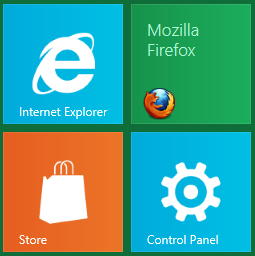
- Classic environment browsers receive a tile/icon in the Metro environment when the desktop version is installed.
- If/When we have a Metro style browser in the Metro environment, we might want to change the Classic environment browser's tile to be more explicit -- or remove it. What's required to not have a tile for a classic app?

- There are Taskbar improvements for multi-monitor (Taskbar spanning)
Desktop Builds
- Adding VC 11 support (bug 686837)
- Build docs: https://developer.mozilla.org/en/Windows_8
Metro
This is summary of our work / planning for a Win8 Metro browser. For testing purposes we have been working with the /mobile/xul Fennec browser. Moving forward we would like to take the base Fennec XUL code and Metro specific code we've already developed (currently on Elm with some build related work already on mc) and integrate this in with the default Firefox build and install.
We are interested in getting as much feedback as possible from stake holders and from people who have worked with these newer platforms. If you have Win8 up and running in a vm or on a test system, there are details here on how to get builds going, how to register the browser, and test builds for installing.
What’s different and what’s the same
By in large platform was a nice fit for Metro. We ran into surprisingly few problems. It took us about a week to get a basic version of Fennec running in the environment and most of that time was spent combing through the registration/integration doc Microsoft sent us. Below are some specific details on the areas of the repo we are currently leveraging.
nsBrowserApp
Currently using fennec’s nsBrowserApp.
chrome interface markup and css (different)
Metro apps are single window applications. The current desktop UI does not fit this new environment. There are no secondary windows we create. Secondary UI (file pickers, warnings, message boxes, toasts) are all displayed and managed by the os. The interfaces to these features are also async. We will provide interfaces for invoking these. Some have already been integrated on Elm (file picker for example).
browser comps (different)
dictionaries, hyphenation, res, searchplugins, extensions, plugins (shared)
Due to the differences in view model most of /browser components code can’t be leveraged. Fennec's script based components are currently in use. [1]
The current metro browser leverages the Fennec front end app code but we could switch to firefox’s code base and enable / augment what we need for metro.
toolkit/xre (modest differences)
The app model is slightly different for Metro. UI events and rendering do not occur on the main thread. We have a working model implemented on Elm that breaks up parts of XRE_main so that certain parts (startup & run) can be called on a different ‘main’ thread.
widget (mostly shared widget/windows code base with different nsIWidget classes)
There are significant differences in the view model so we needed a new nsWindow class. nsWindow latches into a new set of apis for events and view management. [2] Generally winrt and winapi code has integrated well together. We are currently leveraging Component Extensions and various winrt runtime classes. We will be able to share a great deal of win32 widget code.
default browser integration (new registration / launch characteristics for both desktop and metro for win8, older os remains unchanged)
installer/helper/uninstall (shared codebase w/new registration for win8)
On Windows8 the mechanics of launching the browser have changed. There is a new intermediary (a ‘command execute handler’) which is a small, light weight COM server Windows launches. This application chooses which browser to launch based on the environment requested. This change effects the launch of both browsers and the way we register as the default browser on Windows 8. [3] We currently have a basic Fennec install going for testing purposes, but it shouldn’t be too hard to move this over to the Firefox installer.
everything else in runtime (shared)
Generally we’re currently leveraging a majority of our common code base without issue. Threading, timers, networking, ssl, layout, gfx, etc. have all fit in really well. Misc. detail -
- gfx - not currently using accelerated layers but plan to in the near future. The surface rendered to in Metro is D2D and there is no GDI fallback. As such there are some issues with blacklisted hardware.
- e10s - currently using Fennec’s out of process tabs.
- Accessibility - not integrated yet.
- Netwerk - no issues.
- Layout - no issues.
- dom & dom/system & hal - DOM interfaces for device info / sensor input and events. Currently there isn't much here for Windows.
- media - no issues.
- storage - works, although there are some profile corruption problems from early termination which can occur in metro. We also have a 'shared profile' problem (see Big Issues).
- toolkit - very little of this is in use. Crash reporter UI will need work/integration.
- xpcom - no issues.
A tentative proposal
- Copy mobile/xul code down to browser level in /browser/metro.
- Integrate metro startup into firefox's nsBrowserApp bug 747347.
- Integrate building this new area into the current desktop firefox build. bug 747347
- Fixup the firefox installer so that we bring both browsers down in a single unified windows install. bug 737833
- Share the runtime between the two apps in the install. [completed]
- Have nsBrowserApp communicate to xul lib what environment we are running in. [completed]
- Dynamically switch out which code path we want in xul lib where necessary. [completed]
- Organize dist interface code and browser comps such that desktop firefox install layout remains unchanged. Layer metro specific resources down in such a way that the two sets of resources do not conflict. bug 755724
Share a single profile between both browsersor Sync two profiles on the same machine.
Elm to mozilla-central migration tracking bug: bug 747347
Pros and Cons
- Pro – single unified Windows installer / unified browser build.
- Pro – shared runtime without multiple copies of key files like xul.dll.
- Con – larger Windows install regardless of what version of the os we install on. metrobrowser would be present on all Windows installs.
- Con – builders / release eng. will have to upgrade to VC11 / Win8 SDK to do the build. For the time being however we have a build switch that enables win8 specific components, so we can start landing on mc without breaking existing desktop builds which leverage vc10 build tools. bug 737994
- Pro/Con – With this setup we currently assume we will leverage xul lib. On the positive side having xul makes putting together our UI fast and easy. On the negative side startup performance may be an issue. We are working on getting telemetry data going so we can better measure this in the test builds we are distributing. Thus far test builds we have going on Samsung tablets and a few other test machines show promise on startup performance. Windows is obviously optimized for loading our libraries and the browsers we compete against all have the same encumbrance.
Big Issues
- Windows XP - The current VC11 Beta redist runtime is not compatible with XP. (bug 744942)
- Profiles – Certain areas of the user’s profile will need to be shared between two concurrently running browser apps. We’ve just begun exploring ways to do this. Potential solution might involve a mysql database connection shim that leverages a profile broker and IPC so both browsers can talk to the same profile. We also might consider using Sync. There are some hurdles here to overcome.
- Accessibility - This area of the code base will be in heavy use in the Metro environment with touch interfaces. Our accessibility code will require performance work and may require a new UI Automation adapter since Win8 leverages UI Automation exclusively.
- e10s - (khuey) Certain things are pretty much broken in e10s (e.g. IndexedDB) and other features have not received any testing in several months. Relying on e10s will likely require some investment in the platform to clean this up for metro/desktop parity. Not relying on e10s may decrease the amount of existing XUL Fennec code that can be reused. [question: (jimm) what's the difference in the amount of work we have to do? We've disabled remote tabs on elm for now to see what's broken.] [A decision was made to use in-process content for the foreseeable future.]
- Extensions - currently extension support will be off until a suitable extension mechanism can be designed and implemented.
Tasks
Front end
| ID | Summary | Priority | Status |
|---|---|---|---|
| 735008 | Work - Windows 8 tile and splashscreen resources | -- | RESOLVED |
| 741121 | Figure out full screen video | -- | RESOLVED |
| 747786 | [tracking] Support new Windows 8 navigation bar and tab bar | -- | RESOLVED |
| 747789 | Epic - Firefox Start | -- | RESOLVED |
| 747790 | Support the new Metro address bar search results page | -- | RESOLVED |
| 756438 | Implement AppBar scripting interface and build AppBar content dynamcally | -- | RESOLVED |
| 758763 | Firefox update wizard in content | -- | RESOLVED |
| 768191 | Excise Honeycomb and Gingerbread Android themes from Metro | -- | RESOLVED |
| 768465 | Link clicks in content act randomly when opening tabs | -- | RESOLVED |
| 769735 | Apply Metro styling to dialogs | -- | RESOLVED |
10 Total; 0 Open (0%); 10 Resolved (100%); 0 Verified (0%);
Platform integration
| ID | Summary | Priority | Status |
|---|---|---|---|
| 686840 | Investigate the ability to toggle between a metro app and a native app | -- | RESOLVED |
| 741741 | Crashreporter UI shows up on desktop for metro applications | -- | RESOLVED |
| 747347 | Work - [Tracking] Migrate elm work over to mc and integrate win8 metro into fx desktop build/install | -- | RESOLVED |
| 762769 | [meta] Implement UIA | P3 | REOPENED |
| 768638 | [Tracking] Sync enhancements for Windows 8 Metro | -- | RESOLVED |
5 Total; 1 Open (20%); 4 Resolved (80%); 0 Verified (0%);
Metro Builds
Updated 6/28/2012
Note, current front end work has moved from mobile to /browser/metro.
- Install VC RC 2012
- Download the Mozilla VC11 console startup script
- Add Windows metadata to your LIBPATH:
For VS 12 RC:

export LIBPATH='C:\Program Files (x86)\Microsoft Visual Studio 11.0\VC\LIB;C:\Program Files (x86)\Microsoft Visual Studio 11.0\VC\ATLMFC\LIB;C:\Program Files (x86)\Microsoft Visual Studio 11.0\VC\vcpackages;C:\Program Files (x86)\Windows Kits\8.0\References\CommonConfiguration\Neutral'
- Check out Elm. Make sure the obj directory has "Modify" permissions given to the current user.
- Create a standard browser .mozconfig file with the options you prefer and add
ac_add_options --enable-metro
- Config and build Elm
Once the build completes, you'll need to remove fx desktop specific chrome manifest entries from the root chrome manifest file. Edit (obj)/dist/bin/chrome.manifest, and delete all manifest lines below and including 'manifest chrome/browser.manifest'. If you would like to use Sync keep the following entries from this group:
manifest components/AitcComponents.manifest
manifest components/NotificationsComponents.manifest
manifest components/SyncComponents.manifest
This step is needed to address build config issues that haven't been fixed yet in bug 755724.
Note, rebuilding from the root or from /browser will add these entries back! To update after making metro front end changes, build in /browser/metro.
At this point, you should be able to launch the metro browser on the desktop using a command line switch:
(obj)/dist/bin/firefox.exe -metrodesktop
For registering as the default Metro browser:
- open (obj)/dist/bin/metro/install:
- run registerdefaultbrowser.reg
- edit createshortcut.bat to be sure the start menu path matches your system.
- open an administrative command prompt and run createshortcut.bat.
- Open up Control Panel -> Default Programs. You should see 'Metro Firefox' in the list of applications. If not something has likely gone wrong with the reg script.
- Set all Metro Firefox defaults in Default Programs.
At which point you should have a Firefox tile in Win8 that launches the browser.
Logging Assertions
When you're running Metro Firefox with --enable-debug, there will be assertion failure messages that pop up. Because they appear on the desktop and block the UI, they will make the Metro UI appear to hang until you dismiss them on the desktop. You can set the following environment variable to ensure that they're logged rather than displayed as popups:
XPCOM_DEBUG_BREAK=warn
DOM Inspector
Updated 6/14/2012
Getting DOM Inspector attached to builds running on the desktop takes a few tweaks.
- Copy the 'inspector@mozilla.org' folder under your Firefox profile's extension directory over to your MetroFirefox profile extensions directory.
- Add the startDOMi function to /browser/metro/base/content/browser.js.
- Add a call to startDOMi() below the BrowserUI.init() call.
JS Shell
For debugging we've also added the ede js shell to the options menu. This only works in desktop mode.
Metro Test Install
Locally built, release non-opt builds for testing. No updater. Uninstaller should clean up after itself. Install Firefox before installing as the current metro install relies on fx for desktop browsing.
Note when shutting down these builds, exit via the main menu within Fennec. Closing via right-click thumbnail icon in the start menu results in process termination. In these cases profile and prefs data will not get flushed to disk.
3-29 Fennec for Metro Rel, non-opt3-30 Fennec for Metro Rel, non-opt- profiles loading
- search contract working
- mc merge
4-11 build- tons of work on contracts (accessed through the charms)
- focus related issues fixed
- basic soft keyboard support and pretty good text selection
- remote tabs turned off
- bug: changing orientation w/browser in view crashes/freezes. use the swipe down gesture to exit this state.
5-14 build- xaml interop test build
Samsung Series 7
- To order, file a bug under mozilla.org, Server Operations: Desktop Issues. See bug 738613, CC your PM or Asa.
- Once you have the tablet, dock, and keyboard, unpack. Charge up the device. It'll be running Win7, ignore all the default software.
- Download the 64-bit (3.6 gig) Win8 preview ISO on your main system. To make sure you don't have a faulty ISO, you can use Microsoft's checksum tool to take the SHA1 hash of the file for comparison with the SHA1 on the Windows 8 release preview download page. Then, burn the ISO to a suitable memory stick. For burning on Windows you'll need to download and install the Windows 7 USB DVD Download Tool from Microsoft. For burning on mac?
- Once you have the ISO burned, plug the USB stick into the tablet's dock. Browse to the USB drive and run "setup.exe". When prompted choose that you want to save nothing from the previous install.
- Samsung provides an instruction manual on hooking up the Bluetooth keyboard. You can do this after you've installed Win8 as the Win7 desktop instructions are applicable on Win8 desktop.
- After the tablet is set up, download Firefox nightly or build a local copy and start debugging!
Samsung Series 7 Tweaks
- If from the VC11 32-bit mozilla build console you get the following from the command 'cl':
fatal error C1510: Cannot load language resource clui.dll
You should be able to fix this by copying the following file:
C:\Program Files (x86)\Microsoft Visual Studio 11.0\VC\bin\amd64\1033\clui.dll
to the following location:
C:\Program Files (x86)\Microsoft Visual Studio 11.0\VC\bin\1033\clui.dll
Alternatively just do a complete uninstall and reinstall. A couple devs have found this fixes the problem.
- To fix auto changing brightness problems for wipe Win8 installs:
- Open desktop
- click/tap on the battery icon in the taskbar, select "More power options"
- Select your current power plan or create a new plan via the link on the left.
- Under the power plan select "Change advanced power settings"
- scroll down to "Display" and expand
- Find the sub-option "Enable adaptive brightness" and expand
- disable both options under this sub-option