Firefox/Features/New Tab Page v2
Status
| New Tab Page v2 | |
| Stage | Definition |
| Status | In progress |
| Release target | Firefox Next |
| Health | OK |
| Status note | New Tab and Home Page landed in Firefox 13. This new project seeks to improve and combine these two pages into one integrated design on Firefox desktop, mobile, and table |
{{#set:Feature name=New Tab Page v2
|Feature stage=Definition |Feature status=In progress |Feature version=Firefox Next |Feature health=OK |Feature status note=New Tab and Home Page landed in Firefox 13. This new project seeks to improve and combine these two pages into one integrated design on Firefox desktop, mobile, and table }}
Team
| Product manager | ` |
| Directly Responsible Individual | Jennifer Morrow |
| Lead engineer | Blake Winton |
| Security lead | ` |
| Privacy lead | ` |
| Localization lead | ` |
| Accessibility lead | ` |
| QA lead | ` |
| UX lead | Jennifer Morrow |
| Product marketing lead | ` |
| Operations lead | ` |
| Additional members | Bryan Clark, Joanne Nagel, Christopher Arnold |
{{#set:Feature product manager=`
|Feature feature manager=Jennifer Morrow |Feature lead engineer=Blake Winton |Feature security lead=` |Feature privacy lead=` |Feature localization lead=` |Feature accessibility lead=` |Feature qa lead=` |Feature ux lead=Jennifer Morrow |Feature product marketing lead=` |Feature operations lead=` |Feature additional members=Bryan Clark, Joanne Nagel, Christopher Arnold }}
Open issues/risks
- Performance or memory degradation
- Likely relies on projects not yet completed (log into browser, sync, browserID)
Stage 1: Definition
1. Feature overview
Whenever Firefox users open a new tab, their goal is to use it to navigate somewhere. Firefox currently displays a blank page when Firefox users open a new page. This is guaranteed to not help them perform their next task.
We'd like to implement a page which displays on new tabs and helps users complete their next task. This will likely include offering options that are most likely to include the user's next task so that valuable time and steps are saved.
Such a page must meet certain requirements:
- Load instantly
- Not be so distracting as to take users mentally away from their intended task and into an unintended one
- Be useful without any configuration, yet can be easily configured and disabled
- Does not embarrass the user
Goals
1. Offer a seamless experience across devices and users
- Be user-centric, not device-centric.When a Firefox user begins a browsing session, they should always feel they are continuing a web experience with a browser built for them, not having to re-introduce themselves
- Feel Firefoxy on any platform. While Firefox is designed differently for different form factors, NT2 will look, feel, and act in accordance with our brand tone and style
2. Make users more powerful
- Utilizes usage data Firefox already has. Creates value from what Firefox knows about the people who use it, building a richer experience over time without compromising privacy or security
- Make users efficient. Has a high likelihood of predicting what the user’s next action is and saving them time in the process. Allows users to easily navigate different locations and contexts
- Recognize context. Understands that how users browse changes based on their situation, state, and tasks. Does require users to compromise privacy among people in their life.
- Be the user’s agent and advocate. Welcomes users to their browsing session while being helpful, not overpowering.
- Non-goal: Engage users at all costs. A successful design will passively present our best guess as to what users will find useful, but not any content that the user might find interesting. Distraction from the user’s intended task is not acceptable.
3. Successfully Integrate New Tab and Home Tab into one Page
Successfully Integrates New Tab and Home Tab into one Page
- Use what we’ve learned through research and testing about what users do and want at the beginning of their session and when opening a new tab and delivers a solution to address real user needs
- Don't leave current users in the lurch. While the features NT2 presents will change and some will move, users will not be left unable to find functionality they need
- Non-goal: Combine all the features of Home Tab and New Tab into one page. Currently, these two pages offer users different options, but a successful design for v2 will curate content strategically in the way that produces the best user experience. Any item present on the page must have a rationale to be displayed other than historical design.
2. Users & use cases
- A user opens Firefox to begin a browsing task such as checking email, social networking, or reading the news
- A user opens a new Firefox tab to complete a task such as navigating to a website, mapping a location, doing a math problem, or checking the spelling of a word
- A users closes their laptop at home and runs to catch a bus, taking their Android device with them
- A user shares a family computer with her children, but wants to make sure they’re not exposed to the websites she visits
- A user is backpacking far from his home computer and uses an internet cafe communicate while traveling
3. Dependencies
`
4. Requirements
`
Non-goals
- Engage users at all costs. A successful design will passively present our best guess as to what users will find useful, but not any content that the user might find interesting. Distraction from the user’s intended task is not acceptable.
- Combine all the features of Home Tab and New Tab into one page. Currently, these two pages offer users different options, but a successful design for v2 will curate content strategically in the way that produces the best user experience. Any item present on the page must have a rationale to be displayed other than historical design.
- Brand overload. The home and new tab see a great deal of user traffic, and temptation to introduce Mozilla’s latest products and services here will be high. However, the focus of these pages is on users, not on Mozilla. While there may be some room for subtle messaging in some cases (e.g. snippets), it is the user’s goals which will define content, not necessarily Mozilla corporation’s goals. The goal to keep in mind is that *Firefox answers to no one but you.*
Stage 2: Design
5. Functional specification
`
6. User experience design
Current design document can be downloaded here: http://people.mozilla.com/~jboriss/specs/newtabv2/
On each instance of Firefox, a user will see the sites most likely to be useful to them grouped into categories. These categories will include recently closed, recently bookmarked, history, etc.
Firefox itself, regardless of device, will have a default list of site categories that is determined by its chance of being useful to the braod swathe of users. For instance, the first category will be “top sites,” meaning those with the highest frecency (frequency + recency) score. The order of subsequent categories will be in order of decreasing usefulness.
Any device Firefox runs in will have present these categories in consistent behavior and layout. For users who have not logged into Firefox on multiple devices, the categories will always default to the same order (frecency first, etc). Scrolling to the right on every device shows additional categories, while scrolling down on one category maximizes it. This means that even if a user has no Firefox account, they can use muscle memory to find the category they want, even across devices.
The differences between devices are dependant only on the devices themselves: touch vs click, small screen vs large. On desktop, all categories past “Top Sites” will be shown in list form, while on tablets and mobile devices only thumbnails will be shown. This is due to the affordance of touch on touchscreens requiring large targets, while mice on desktop allow for smaller targets.
In keeping with the Sandstone Mozilla style, a “supertab” at the top right of all new tabs on all devices will allow a user to access additional items and customization.
Things get interesting once a user has a Firefox account. Then, all of the devices they log into will keep the same categories with the same sites in the same order, and muscle memory will increase further.
Rather than requesting users set up their Firefox dashboard, this system passively adds sites users care about into categories. If users want to customize this dashboard, they can remove, add, and reprioritize these cateogires. But, vitally, these categories are created for them.


Stage 3: Planning
7. Implementation plan
`
8. Reviews
Security review
`
Privacy review
`
Localization review
`
Accessibility
`
Quality Assurance review
`
Operations review
`
Stage 4: Development
9. Implementation
`
Stage 5: Release
10. Landing criteria
` {{#set:Feature open issues and risks=* Performance or memory degradation
- Likely relies on projects not yet completed (log into browser, sync, browserID)
|Feature overview=Whenever Firefox users open a new tab, their goal is to use it to navigate somewhere. Firefox currently displays a blank page when Firefox users open a new page. This is guaranteed to not help them perform their next task.
We'd like to implement a page which displays on new tabs and helps users complete their next task. This will likely include offering options that are most likely to include the user's next task so that valuable time and steps are saved.
Such a page must meet certain requirements:
- Load instantly
- Not be so distracting as to take users mentally away from their intended task and into an unintended one
- Be useful without any configuration, yet can be easily configured and disabled
- Does not embarrass the user
Goals
1. Offer a seamless experience across devices and users
- Be user-centric, not device-centric.When a Firefox user begins a browsing session, they should always feel they are continuing a web experience with a browser built for them, not having to re-introduce themselves
- Feel Firefoxy on any platform. While Firefox is designed differently for different form factors, NT2 will look, feel, and act in accordance with our brand tone and style
2. Make users more powerful
- Utilizes usage data Firefox already has. Creates value from what Firefox knows about the people who use it, building a richer experience over time without compromising privacy or security
- Make users efficient. Has a high likelihood of predicting what the user’s next action is and saving them time in the process. Allows users to easily navigate different locations and contexts
- Recognize context. Understands that how users browse changes based on their situation, state, and tasks. Does require users to compromise privacy among people in their life.
- Be the user’s agent and advocate. Welcomes users to their browsing session while being helpful, not overpowering.
- Non-goal: Engage users at all costs. A successful design will passively present our best guess as to what users will find useful, but not any content that the user might find interesting. Distraction from the user’s intended task is not acceptable.
3. Successfully Integrate New Tab and Home Tab into one Page
Successfully Integrates New Tab and Home Tab into one Page
- Use what we’ve learned through research and testing about what users do and want at the beginning of their session and when opening a new tab and delivers a solution to address real user needs
- Don't leave current users in the lurch. While the features NT2 presents will change and some will move, users will not be left unable to find functionality they need
- Non-goal: Combine all the features of Home Tab and New Tab into one page. Currently, these two pages offer users different options, but a successful design for v2 will curate content strategically in the way that produces the best user experience. Any item present on the page must have a rationale to be displayed other than historical design.
|Feature users and use cases=* A user opens Firefox to begin a browsing task such as checking email, social networking, or reading the news
- A user opens a new Firefox tab to complete a task such as navigating to a website, mapping a location, doing a math problem, or checking the spelling of a word
- A users closes their laptop at home and runs to catch a bus, taking their Android device with them
- A user shares a family computer with her children, but wants to make sure they’re not exposed to the websites she visits
- A user is backpacking far from his home computer and uses an internet cafe communicate while traveling
|Feature dependencies=` |Feature requirements=` |Feature non-goals=* Engage users at all costs. A successful design will passively present our best guess as to what users will find useful, but not any content that the user might find interesting. Distraction from the user’s intended task is not acceptable.
- Combine all the features of Home Tab and New Tab into one page. Currently, these two pages offer users different options, but a successful design for v2 will curate content strategically in the way that produces the best user experience. Any item present on the page must have a rationale to be displayed other than historical design.
- Brand overload. The home and new tab see a great deal of user traffic, and temptation to introduce Mozilla’s latest products and services here will be high. However, the focus of these pages is on users, not on Mozilla. While there may be some room for subtle messaging in some cases (e.g. snippets), it is the user’s goals which will define content, not necessarily Mozilla corporation’s goals. The goal to keep in mind is that *Firefox answers to no one but you.*
|Feature functional spec=` |Feature ux design=Current design document can be downloaded here: http://people.mozilla.com/~jboriss/specs/newtabv2/
On each instance of Firefox, a user will see the sites most likely to be useful to them grouped into categories. These categories will include recently closed, recently bookmarked, history, etc.
Firefox itself, regardless of device, will have a default list of site categories that is determined by its chance of being useful to the braod swathe of users. For instance, the first category will be “top sites,” meaning those with the highest frecency (frequency + recency) score. The order of subsequent categories will be in order of decreasing usefulness.
Any device Firefox runs in will have present these categories in consistent behavior and layout. For users who have not logged into Firefox on multiple devices, the categories will always default to the same order (frecency first, etc). Scrolling to the right on every device shows additional categories, while scrolling down on one category maximizes it. This means that even if a user has no Firefox account, they can use muscle memory to find the category they want, even across devices.
The differences between devices are dependant only on the devices themselves: touch vs click, small screen vs large. On desktop, all categories past “Top Sites” will be shown in list form, while on tablets and mobile devices only thumbnails will be shown. This is due to the affordance of touch on touchscreens requiring large targets, while mice on desktop allow for smaller targets.
In keeping with the Sandstone Mozilla style, a “supertab” at the top right of all new tabs on all devices will allow a user to access additional items and customization.
Things get interesting once a user has a Firefox account. Then, all of the devices they log into will keep the same categories with the same sites in the same order, and muscle memory will increase further.
Rather than requesting users set up their Firefox dashboard, this system passively adds sites users care about into categories. If users want to customize this dashboard, they can remove, add, and reprioritize these cateogires. But, vitally, these categories are created for them.
|Feature implementation plan=`
|Feature security review=`
|Feature privacy review=`
|Feature localization review=`
|Feature accessibility review=`
|Feature qa review=`
|Feature operations review=`
|Feature implementation notes=`
|Feature landing criteria=`
}}
Feature details
| Priority | Unprioritized |
| Rank | 5 |
| Theme / Goal | Discover |
| Roadmap | User Experience |
| Secondary roadmap | Firefox Desktop |
| Feature list | Desktop |
| Project | ` |
| Engineering team | Desktop front-end |
{{#set:Feature priority=Unprioritized
|Feature rank=5 |Feature theme=Discover |Feature roadmap=User Experience |Feature secondary roadmap=Firefox Desktop |Feature list=Desktop |Feature project=` |Feature engineering team=Desktop front-end }}
Team status notes
| status | notes | |
| Products | ` | ` |
| Engineering | ` | ` |
| Security | sec-review-needed | ` |
| Privacy | ` | ` |
| Localization | ` | ` |
| Accessibility | ` | ` |
| Quality assurance | ` | ` |
| User experience | ` | ` |
| Product marketing | ` | ` |
| Operations | ` | ` |
{{#set:Feature products status=`
|Feature products notes=` |Feature engineering status=` |Feature engineering notes=` |Feature security status=sec-review-needed |Feature security health=OK |Feature security notes=` |Feature privacy status=` |Feature privacy notes=` |Feature localization status=` |Feature localization notes=` |Feature accessibility status=` |Feature accessibility notes=` |Feature qa status=` |Feature qa notes=` |Feature ux status=` |Feature ux notes=` |Feature product marketing status=` |Feature product marketing notes=` |Feature operations status=` |Feature operations notes=` }}
Resources
Blog posts
- Update on Firefox 13′s Home and New Tab Redesign, Boriss, May 18, 2012
- Home Tab and New Tab Conceptual Mockups Faaborg, June 10, 2011
- Firefox Home Tab Faaborg, April 13, 2011
- Firefox Has a Redesigned Home Page and New Tab Experience That Make Browsing the Web Faster and Easier Boriss via Mozilla Blog, June 5, 2012
Research
- Thumbnails, Titles, and URLs: How Users Recognize Representations of Websites Boriss, July 28, 2011
From the 2011 Test Pilot A/B and Multivariate Studies
- How People Use New Tabs Boriss, September 28, 2011
- Test Pilot New Tab Study Results Lilian Weng, August 2, 2011
- Description (not results) of New Tab Multivariate Test Mozilla Test Pilot, July 25, 2011
- Description (not results) of New Tab Page Study Mozilla Test Pilot, June 16, 2011
- Firefox Would Love to Read Your Mind , Boriss, July 21, 2011]
- Research Spinning Up on New Tab Page Boriss, June 15, 2011
Sketches
Sketches
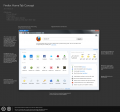
Conceptual mockup: "dashboard-style" Home tab
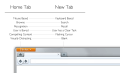
Rationale for why home tab and new tab have been separate
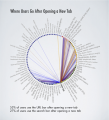
Diagram: Where users navigate to after opening a new tab
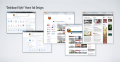
Dashboard-style home tab concepts
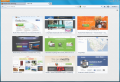
Windows Screenshot: New Tab in Firefox 13

Windows Screenshot: Home Tab in Firefox 13
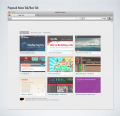
OSX Mockup for quick dial home tab with categories at top
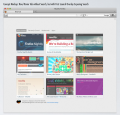
OSX New tab design without search bar
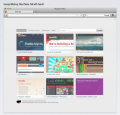
OSX New tab design without a search bar
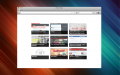
Simple new tab with dark titles at bottom
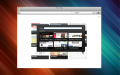
Adding a custom site to grid view
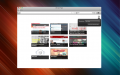
Grid view with gear to change content
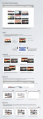
Initial new tab spec with basic customization
Telemetry prompt on home tab
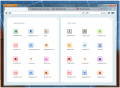
Bookmarks and top sites side-by-side
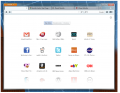
Faded out top site icons with categories

Icon-based minimal layouts
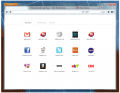
Outlined tabs on grid view with icons
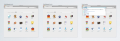
Concept Mockup of apps in New Tab and URL bar
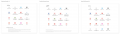
Three types of new tab grid configurations tested in multivariate study
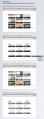
How dark semi-transparent labels appear on various kinds of thumbnails
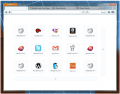
Expanding minimal grid concept
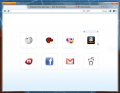
Minimal icon grid with mouseovers
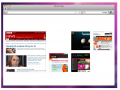
Asymmetrical grid arrangement
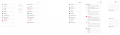
Minimal link layouts
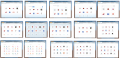
Grid concepts with icons
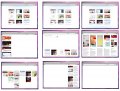
Asymmetrical grid system layouts
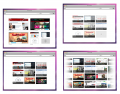
Icon size variations of gridstyle layout
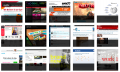
Square thumbnails with semitransparent overlays
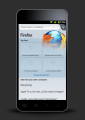
Screenshot of current mobile home page
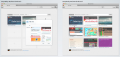
OSX Mockup of new tab with configuration panel

Firefox Start concept with horizontal launch targets

Firefox Start concept with vertical launch targets
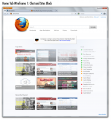
Home page concept with chat contacts
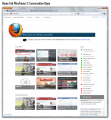
Home tab concept with chat conversation open
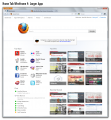
Home tab concepts with many apps visible
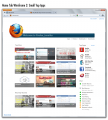
Home tab concept with small app icons
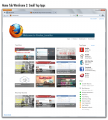
Home tab concept with white background and chats
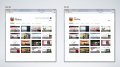
Home and new tab side by side variation
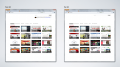
Home and new tab with search bar
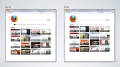
Home and tab with search and buttons at top
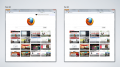
Home and new tab with center logo
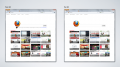
Home and new tab with left aligned Firefox logo
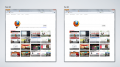
Home and new tab with snippet

Home and new tab with full Firefox wordmark
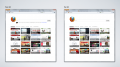
Home and new tab with large search bar at the top

Firefox home and new tab with search bar
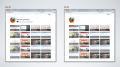
Home and new tab with expanded grid
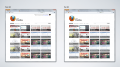
Home and new tab with snippet at top right
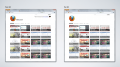
Home and new tab with snippet and search at top right

Dashboard style home tab with apps
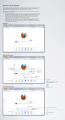
First spec for redesigned home tab
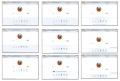
Variations on launch targets home tab style
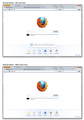
Home tab first iteration in Windows with launch targets

Variations on launch bar for home tab
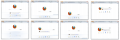
Windows style variations of home tab with launch target
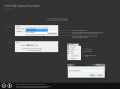
Home tab optinos customization mockup
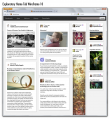
Newspaper-style content layout on home tab

Newspaper-style content layout on home tab v2
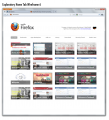
Exploratory home tab with tabs
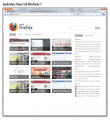
Home tab variation with search bar instead of snippet
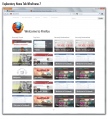
Home tab with columns for different sections
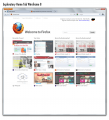
Home tab with favicons
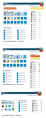
Home Tab share-style variations
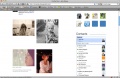
Home tab style with contacts and sharing


Files too big for the wiki gallery:

