Customizing Mailbox Windows: Difference between revisions
Jump to navigation
Jump to search

No edit summary |
(+Obsolete flag) |
||
| Line 1: | Line 1: | ||
{{RELEASE_MANAGEMENT_OBSOLETE}} | |||
<imagemap>Image:ose-navstack.png|right|border | <imagemap>Image:ose-navstack.png|right|border | ||
rect 0 0 174 59 [[Eudora OSE|Go to the Open Source Eudora Project Index]] | rect 0 0 174 59 [[Eudora OSE|Go to the Open Source Eudora Project Index]] | ||
Latest revision as of 14:00, 2 January 2019
⚡ Warning: The content of this page is obsolete and kept for archiving purposes of past processes.
Eudora OSE automatically remembers the size and screen placement, column and splitter positions of individual mailbox windows.
There is an option in [Options/Prefs window] > Extras > Mailboxes to show or hide the grid lines in the mailbox table of contents. Advanced users and those inclined to tinker might want to read through the Hidden Settings page for still more configuration preferences.
The Who column

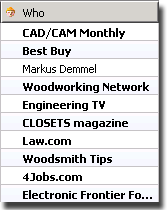
Who is a dynamic column that displays the Sender header in all incoming mailboxes, and Recipient in all outbound boxes. It is part of Eudora OSE’s default column palette.