Fennec/NativeUI/UserExperience/ReaderMode: Difference between revisions
No edit summary |
No edit summary |
||
| Line 20: | Line 20: | ||
<b>3. The Toolbar</b><br> | <b>3. The Toolbar</b><br> | ||
<b>Problem:</b> How do we access / display the various options without intruding on the reading experience<br> | <b>Problem:</b> How do we access / display the various options without intruding on the reading experience<br> | ||
<b>Solution:</b> On tapping of the screen a translucent tool bar appears, further options can be invoked by pressing the menu icon in the bar, or the hardware menu key. Examples:<br> | <b>Solution:</b> On tapping of the screen a translucent tool bar appears, further options can be invoked by pressing the menu icon in the bar, or the hardware menu key. Examples:<br><br> | ||
http://farm8.staticflickr.com/7202/6964642207_bdcff2b041_b.jpg<br> | |||
[http://www.flickr.com/photos/patrykdesign/ | [http://www.flickr.com/photos/patrykdesign/6964642207/in/photostream Proposed Visual Design Mock Up] | ||
<br><br> | <br><br> | ||
Revision as of 23:29, 9 March 2012
Below is the proposed first version of a reader mode for mobile Firefox. All the mockups (some old) can found in this flickr folder.
1. How to Access Reader Mode from the Browser?
Problem: The new browser design is heading towards a chromeless / buttonless aesthetic, how do we introduce the reader mode?
Solution: The reader mode can hidden the the menu invoked by pressing the hardware/software menu button or with an icon which appears in the URL bar.
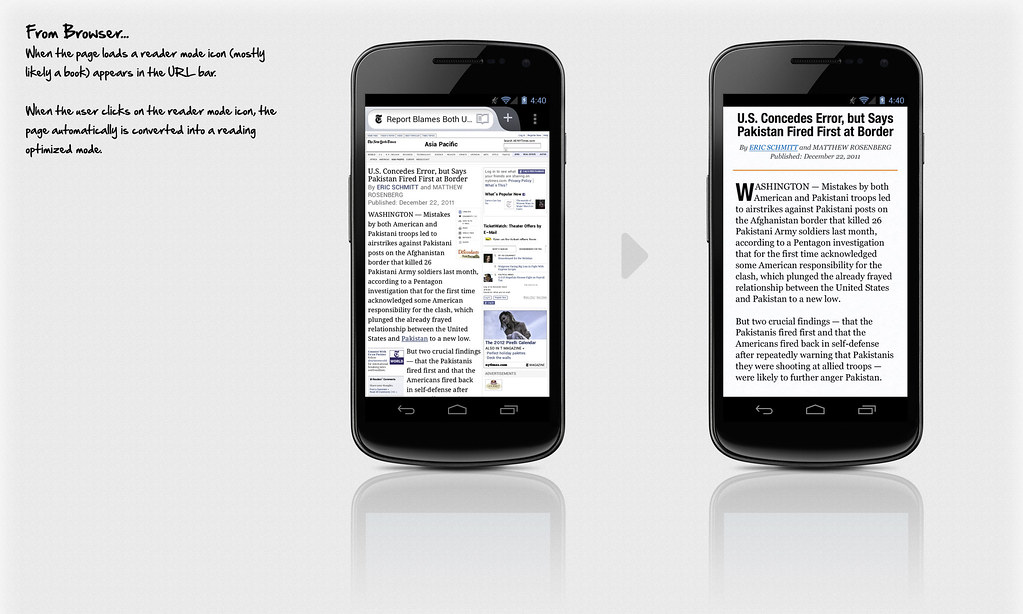
Proposed Visual Design Mock Up
2. Proposed Interactions
Problem: Add functionality to the reader mode while still maintaining a chromeless, reading focused layout.
Solution: Introduce off screen menus rendered visible with swiping gestures. Examples:
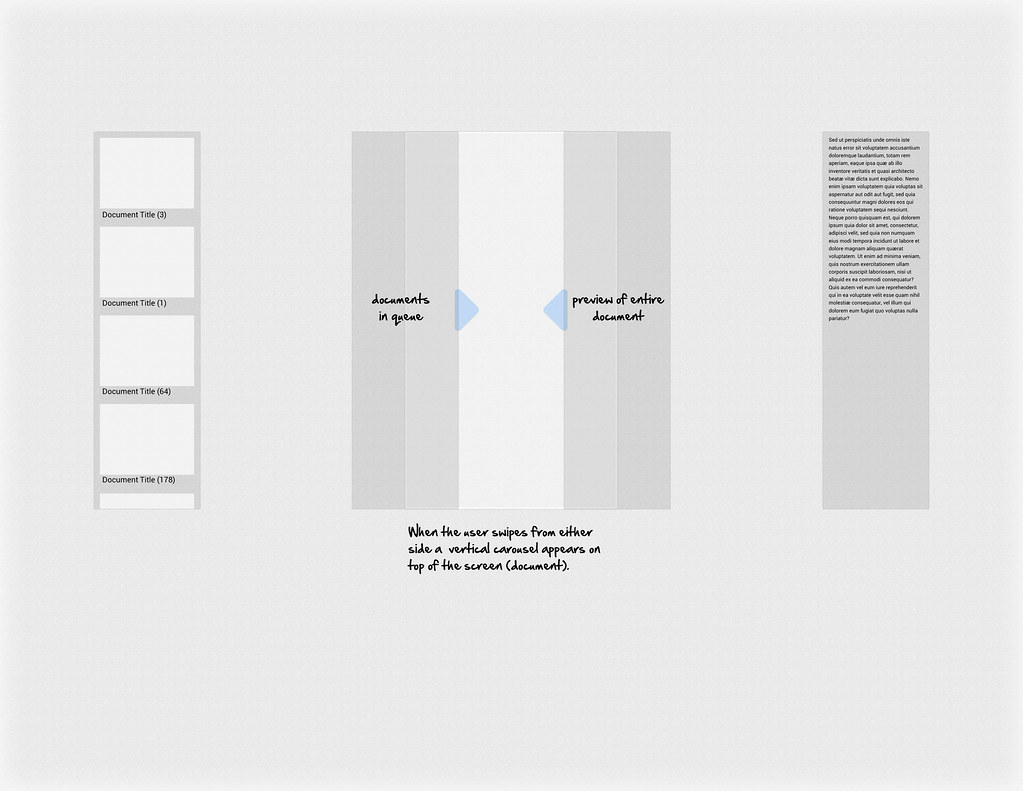
Sample Interaction Flow
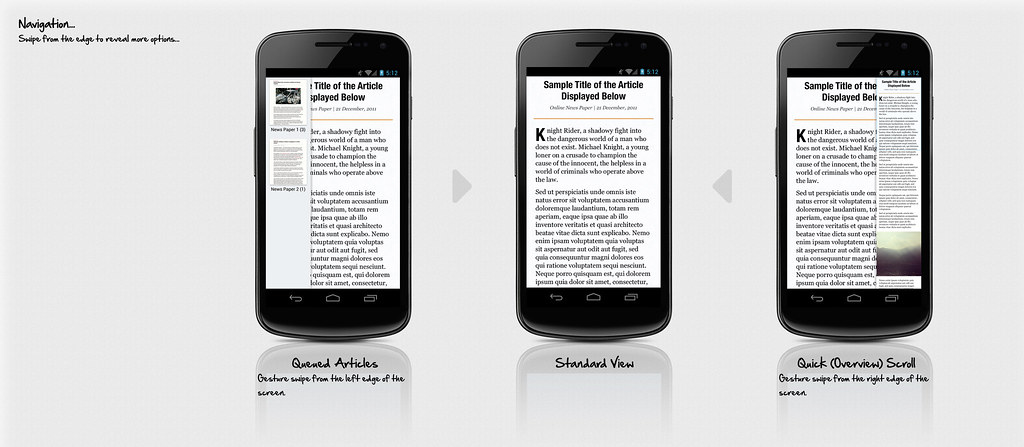
Proposed Visual Design Mock Up
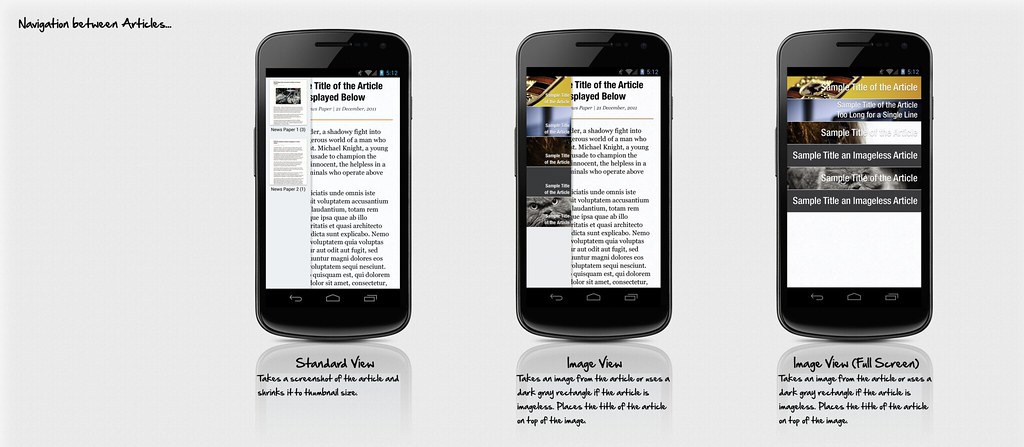
Examples of Article Navigation (Potentially for a future release)
3. The Toolbar
Problem: How do we access / display the various options without intruding on the reading experience
Solution: On tapping of the screen a translucent tool bar appears, further options can be invoked by pressing the menu icon in the bar, or the hardware menu key. Examples:
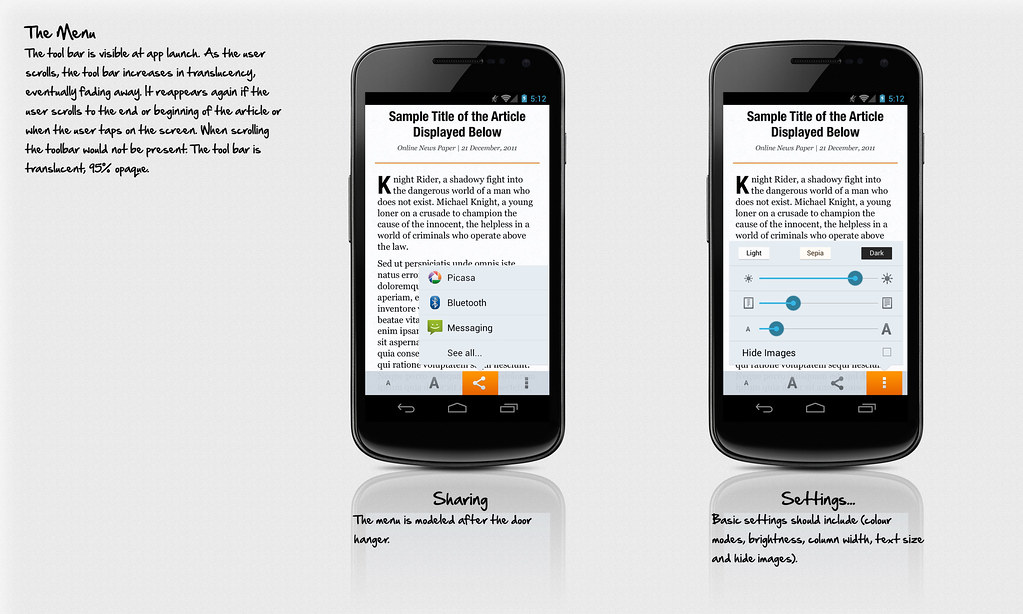
Proposed Visual Design Mock Up
4. Stylistic Elements
Various Examples:
Overall Layout & Typography
Colour Themes
Image Treatement
5. Scalability
Typography size scaling ratio pairs
Handheld vs Tablet
[:Image: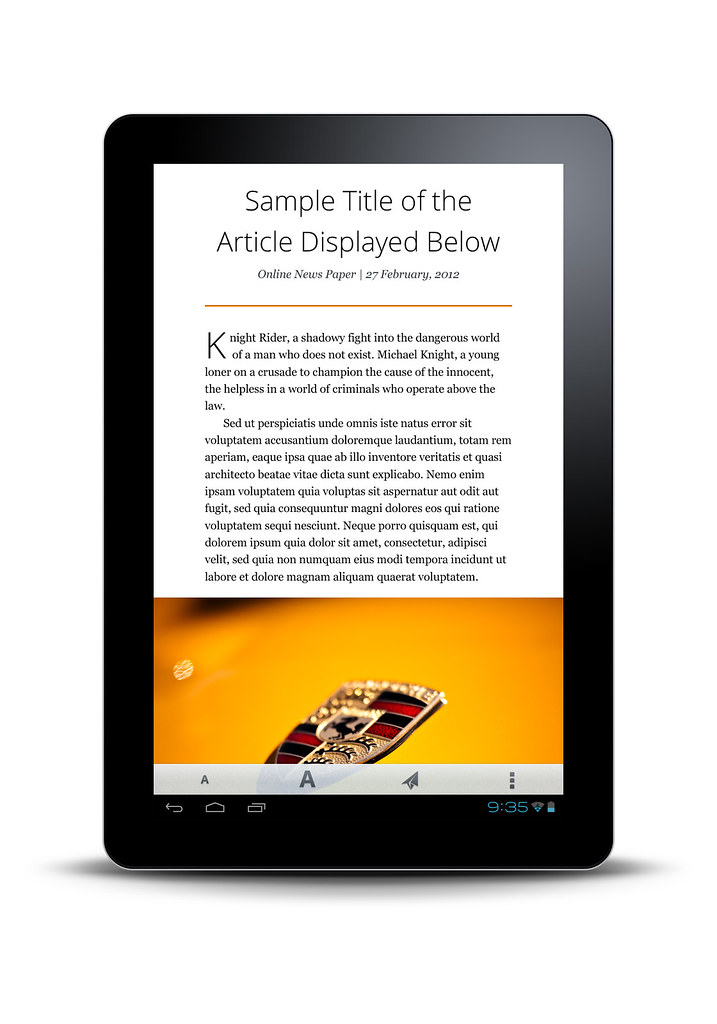 ]
]