Webmakers/Projects: Difference between revisions
(Created page with " <h1><span>Get involved</span></h1> <ul class="project-list"> <li> <a href="http://www.mozillapopcorn.org"> <article class="project card"> ...") |
Iamjessklein (talk | contribs) No edit summary |
||
| (136 intermediate revisions by 5 users not shown) | |||
| Line 1: | Line 1: | ||
__NOTOC__ | |||
http://farm8.staticflickr.com/7206/6907867555_eeda62c030.jpg | |||
<h1> Help test these new Webmaker Projects </h1> | |||
<b>Help kick the tires on the beta projects below.</b> Are they easy to use? Helpful for learning? Fun?<br> | |||
Let us know by filling out this fast and easy survey: | |||
<br> | |||
<div style="width:30%; height:105px; float:none; padding: 1px; border: 1px solid rgb(40, 40, 40); background: #dddddd; -moz-border-radius: 10px; text-align:center; margin-top:15px; margin-right:15px;"><br> | |||
<h2>[https://docs.google.com/spreadsheet/viewform?formkey=dERCYVFSQVhyWkxDUC1haFJpRjRrc0E6MA#gid=0 Tell us what you think]</h2> | |||
</div> | |||
<br> | |||
<h3> What are these "Webmaker Projects," anyway? </h3> | |||
<b>Learning by making</b>. Webmaker projects are designed to help you make something amazing on the web fast. | |||
Using Mozilla Webmaker tools like Popcorn, Hackasaurus and Thimble, you can: | |||
* take apart and remix web sites, | |||
* make your own webpages, interactive videos and other cool stuff in minutes, | |||
* sharpen your webmaking skills. From HTML and CSS to fancy stuff. | |||
<b>We're preparing a set of these projects for the Mozilla Summer Code Party.</b> The goal: teach the world the basics of coding and webmaking. Through bite-sized games, projects and recipes that are easy, social and fun. Partners and contributors will be able to share their own webmaker projects as well. | |||
<h1> Webmaker Beta Projects: test 'em out now</h1> | |||
<br> | |||
[[Image:webarcade.jpg|270px|left]] | |||
<h3>Web Arcade</h3> | |||
<p>Enter the Web Arcade to explore the world of the Open Web ; a place made out of serious cats, planking videos and minecraft empires! The Web Arcade offers a collection of mini games that help you level up your (HTML & CSS) skills and create your own webpages. | |||
</p> | |||
'''Tools used:'''Thimble '''Skills:''' HTML Basics ''' Difficulty:'''Beginner | |||
<br><br><br> | |||
[[Image:HTML_BASIC_coverimage-01.png |270px|left]] | |||
<h3>Wrangle the HTML</h3> | |||
<p> HTML is not complicated or difficult to wrangle. In this project you will get a hold of the basics and you might even realize that you know a bit of HTML already. | |||
</p> | |||
'''Tools used:'''Thimble '''Skills:''' HTML Basics ''' Difficulty:'''Beginner | |||
<br><br><br> | |||
[[Image:arcademap.jpg |270px|left]] | |||
<h3>Hack a Map</h3> | |||
<p>HTML is a funny looking language; it is written inside brackets like <this> and </this>. In this project you will begin your journey in the world of HTML by exploring the syntax behind it to activate and customize a broken Map and explore brave new webby worlds. | |||
</p> | |||
'''Tool:'''Thimble '''Skills:''' HTML syntax''' Difficulty:'''Easy''' | |||
<br><br><br> | |||
[[Image:Bakerybash_cover-01.png |270px|left]] | |||
<h3>Bakery Bash</h3> | |||
<p> If you are a fan of the web you have already met the loaf cat. A proud owner of a Bakery, the loaf cat is throwing a party -a Bakery Bash if you will. Unfortunately the guests are all undercover Serious Cats. Bummer! Your goal in this game is to fix the links and clickable images so that they no longer point to the serious cat. Once you are done bring a few more guests and add some music to get this party started! | |||
</p> | |||
'''Tools used:'''Thimble '''Skills:''' HTML, links, images ''' Difficulty:'''Easy | |||
<br><br><br> | |||
[[Image:avataromatic.png |270px|left]] | |||
<h3>Avatar-O-Matic</h3> | |||
<p> There are people who are on the web, and then there are people who MAKE the web.- Who do YOU want to be? Your goal in this project is to MAKE your very own webmaker avatar. In this unique blend of HTML agility, CSS and firepower you are going to mix and match the images on this page to create your very own webmaker page and share what you are passionate about making. | |||
</p> | |||
'''Tools used:'''Thimble'''Skills:''' HTML & CSS, positioning, privacy ''' Difficulty:'''Intermediate | |||
<br><br><br> | |||
[[Image:coverimages_squirrel-01.png |270px|left]] | |||
<h3>Make your own meme</h3> | |||
<p><b>Do you have what it takes to go viral and become internet famous?</b>Prove it. This project let's you use your HTML and CSS swagger to create your own web page -- featuring a meme to conquer all internet memes. You might wonder what is a meme? Well a meme refers to an internet phenomena: think viral videos, web celebs, fuzzy animals… So let your inner squirrel, serious cat, Brony or Ryan Gosling “Hey girl,” shine. | |||
</p> | |||
'''Tools used:'''Thimble'''Skills:''' HTML & CSS, design thinking ''' Difficulty:'''Intermediate | |||
{{ThimbleProject|meme}} | |||
<br><br> | |||
[[Image:stuck90s.png|270px|left]] | |||
<h3>Make ugly '90s pages pretty</h3> | |||
<p>Everyone has an embarrassing moment. For the web it was the '90s. Back then, websites were boxy and ugly -- kind of like this page! Wrangle your HTML and CSS style powers to change the content, colors and layout to drag these webpage out of the grungey '90s. | |||
</p> | |||
'''Tool:'''Thimble'''Skills:''' HTML and CSS, web design ''' Difficulty:'''Advanced | |||
{{ThimbleProject|stuck}} | |||
<br><br><br> | |||
[[Image:webstructables.jpg|270px|left]] | |||
<h3>Make your own "webstructable" how-to</h3> | |||
<p>Are you an expert at drawing anime character? or how about surviving your first night in Minecraft? This project lets you create your own web page tutorial. Use your new-found HTML, CSS and Popcorn wisdom to create the world's greatest how-to. What do you want to make today? | |||
</p> | |||
'''Tool:'''Thimble'''Skills:''' HTML & CSS, Popcorn, teaching others''' Difficulty:''' Advanced | |||
<br><br><br> | |||
[[Image:title_commercial_small.png|270px|left]] | |||
<h3>Hack a commercial</h3> | |||
<p>Add your own voice to a cheesy 1950s TV commercial! Add pop-ups and commentary, change meanings, and hack pop culture using Mozilla Popcorn. | |||
</p> | |||
<p>'''Tool:'''Popcorn'''Skills:''' remix, web design, positioning ''' Difficulty:'''Intermediate</p><br> | |||
<h3>[https://wiki.mozilla.org/Webmakers/Projects/Hack-a-Commercial GO!]</h3> | |||
<br><br><br> | |||
[[Image:title_context_small.png|270px|left]] | |||
<h3>Remix a Story</h3> | |||
<p>Recontextualize a story by adding additional information. Attribute sources and give credit where credit is due.</p> | |||
<p>'''Tool:'''Popcorn'''Skills:''' remix, web design, positioning, attribution ''' Difficulty:'''Intermediate</p><br> | |||
<h3>[https://wiki.mozilla.org/Webmakers/Projects/Remix-a-Story GO!]</h3> | |||
<br><br><br> | |||
[[Image:iathumb.png|270px|left]] | |||
<h3>Create your own "Inanimate Alice" story</h3> | |||
<h2>Powered by Hive NYC </h2> | |||
<p>This project uses the popular "Inanimate Alice" interactive novel and Mozilla Hackasaurus to create narrative mayhem. Youth can create their own narrative using characters and a storyline they create, learning how to remix the web along the way. | |||
</p> | |||
<p>'''Tool:'''Hackasaurus XRay Goggles '''Skills:''' HTML & CSS, writing, storytelling ''' Difficulty:'''Easy</p> | |||
<h3>[https://wiki.mozilla.org/Webmakers/Projects/InanimateAlice-DIY GO!]</h3> | |||
<br><br> | |||
<br><br> | |||
[[Image:soapthumb.png|270px|left]] | |||
<h3>Make your own rant page</h3> | |||
<h2>Powered by Hive NYC</h2> | |||
<p><b>Got something to shout about?</b> A rant, cause, passion project, block party or victory you want the world to know about? Shout it from the rooftops by making your own web page in minutes with this handy remixable template. Then share it via email, Twitter, Facebook or URL. Easy! </rant> | |||
</p> | |||
'''Tool:'''Thimble'''Skills:''' video, creative commons, HTML and CSS, web design ''' Difficulty:'''Intermediate | |||
<h3>[http://toolness.github.com/friendlycode/?p=/p/151 GO!]</h3> | |||
<br> | |||
[[Image:tumcus.png|270px|left]] | |||
<h3>Customize your Tumblr HTML Theme</h3> | |||
<h2>Powered by Tumblr </h2> | |||
<p>Have you always wondered how to create a custom background for your tumblog? Or how you can add widgets to that lonely sidebar of yours? Learn how to customize your blog using Tumblr's HTML editor and conquer the blogosphere with your stylish musings. | |||
</p> | |||
'''Tool:'''Tumblr Editor'''Skills:''' HTML and CSS, web design ''' Difficulty:'''Intermediate | |||
<br> | |||
[[Image:tumagif.png|270px|left]] | |||
<h3>Make an Animated Gif</h3> | |||
<h2>Powered by Tumblr </h2> | |||
<p>If you are eager to get your spot in the Tumblr hall of fame, you better get your animated gif action into place. Become the master of the gifs by completing this project that will even make a llama giggle. | |||
</p> | |||
'''Tool:'''GIMP, Tumblr '''Skills:''' image manipulation ''' Difficulty:'''Beginner | |||
<br> | |||
<br> | |||
[[Image:3dweb.jpg|270px|left]] | |||
<h3>Make a 3D WebPage</h3> | |||
<h2>Powered by the New York Public Library</h2> | |||
<p>Create your own webpages with 3D or animated graphics with the NYPL Stereogranimator tool. Select images from the digital gallery and then add your own quotes and quips to make a humorous webpage. | |||
</p> | |||
</ | '''Tool:'''Thimble'''Skills:''' image manipulation, HTML, CSS ''' Difficulty:'''Beginner | ||
<br> | |||
<h3>[http://thimbletest.org/en-US/projects/nesta/nypl/edit GO!]</h3> | |||
<br> | |||
<br><br> | |||
<h2> So... what do you think?</h2> | |||
<b>Are these beta webmaker projects:</b> | |||
* <b>Easy to use?</b> Where do things feel confusing or broken? Is it easy to dive in and get started? | |||
* <b>Helpful for learning?</b> Do they serve the goal of teaching HTML, CSS and other webmaking basics? | |||
* <b>Fun?</b> That's crucial! Where are they most fun? Where do they lag? | |||
<div style="width:30%; height:105px; float:none; padding: 1px; border: 1px solid rgb(40, 40, 40); background: #dddddd; -moz-border-radius: 10px; text-align:center; margin-top:15px; margin-right:15px;"><br> | |||
<h2>[https://docs.google.com/spreadsheet/viewform?formkey=dERCYVFSQVhyWkxDUC1haFJpRjRrc0E6MA#gid=0 Tell us what you think]</h2> | |||
</div> | |||
Latest revision as of 15:12, 1 June 2012
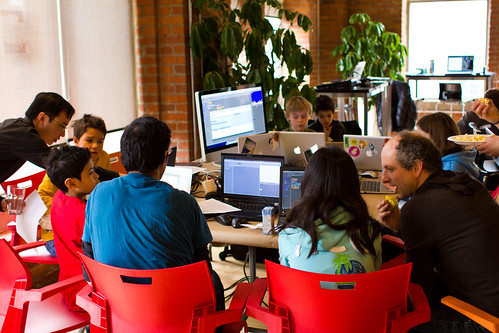
Help test these new Webmaker Projects
Help kick the tires on the beta projects below. Are they easy to use? Helpful for learning? Fun?
Let us know by filling out this fast and easy survey:
What are these "Webmaker Projects," anyway?
Learning by making. Webmaker projects are designed to help you make something amazing on the web fast.
Using Mozilla Webmaker tools like Popcorn, Hackasaurus and Thimble, you can:
- take apart and remix web sites,
- make your own webpages, interactive videos and other cool stuff in minutes,
- sharpen your webmaking skills. From HTML and CSS to fancy stuff.
We're preparing a set of these projects for the Mozilla Summer Code Party. The goal: teach the world the basics of coding and webmaking. Through bite-sized games, projects and recipes that are easy, social and fun. Partners and contributors will be able to share their own webmaker projects as well.
Webmaker Beta Projects: test 'em out now

Web Arcade
Enter the Web Arcade to explore the world of the Open Web ; a place made out of serious cats, planking videos and minecraft empires! The Web Arcade offers a collection of mini games that help you level up your (HTML & CSS) skills and create your own webpages.
Tools used:Thimble Skills: HTML Basics Difficulty:Beginner

Wrangle the HTML
HTML is not complicated or difficult to wrangle. In this project you will get a hold of the basics and you might even realize that you know a bit of HTML already.
Tools used:Thimble Skills: HTML Basics Difficulty:Beginner

Hack a Map
HTML is a funny looking language; it is written inside brackets like <this> and </this>. In this project you will begin your journey in the world of HTML by exploring the syntax behind it to activate and customize a broken Map and explore brave new webby worlds.
Tool:Thimble Skills: HTML syntax Difficulty:Easy

Bakery Bash
If you are a fan of the web you have already met the loaf cat. A proud owner of a Bakery, the loaf cat is throwing a party -a Bakery Bash if you will. Unfortunately the guests are all undercover Serious Cats. Bummer! Your goal in this game is to fix the links and clickable images so that they no longer point to the serious cat. Once you are done bring a few more guests and add some music to get this party started!
Tools used:Thimble Skills: HTML, links, images Difficulty:Easy

Avatar-O-Matic
There are people who are on the web, and then there are people who MAKE the web.- Who do YOU want to be? Your goal in this project is to MAKE your very own webmaker avatar. In this unique blend of HTML agility, CSS and firepower you are going to mix and match the images on this page to create your very own webmaker page and share what you are passionate about making.
Tools used:ThimbleSkills: HTML & CSS, positioning, privacy Difficulty:Intermediate

Make your own meme
Do you have what it takes to go viral and become internet famous?Prove it. This project let's you use your HTML and CSS swagger to create your own web page -- featuring a meme to conquer all internet memes. You might wonder what is a meme? Well a meme refers to an internet phenomena: think viral videos, web celebs, fuzzy animals… So let your inner squirrel, serious cat, Brony or Ryan Gosling “Hey girl,” shine.
Tools used:ThimbleSkills: HTML & CSS, design thinking Difficulty:Intermediate
GO!

Make ugly '90s pages pretty
Everyone has an embarrassing moment. For the web it was the '90s. Back then, websites were boxy and ugly -- kind of like this page! Wrangle your HTML and CSS style powers to change the content, colors and layout to drag these webpage out of the grungey '90s.
Tool:ThimbleSkills: HTML and CSS, web design Difficulty:Advanced
GO!

Make your own "webstructable" how-to
Are you an expert at drawing anime character? or how about surviving your first night in Minecraft? This project lets you create your own web page tutorial. Use your new-found HTML, CSS and Popcorn wisdom to create the world's greatest how-to. What do you want to make today?
Tool:ThimbleSkills: HTML & CSS, Popcorn, teaching others Difficulty: Advanced

Hack a commercial
Add your own voice to a cheesy 1950s TV commercial! Add pop-ups and commentary, change meanings, and hack pop culture using Mozilla Popcorn.
Tool:PopcornSkills: remix, web design, positioning Difficulty:Intermediate
GO!

Remix a Story
Recontextualize a story by adding additional information. Attribute sources and give credit where credit is due.
Tool:PopcornSkills: remix, web design, positioning, attribution Difficulty:Intermediate
GO!

Create your own "Inanimate Alice" story
Powered by Hive NYC
This project uses the popular "Inanimate Alice" interactive novel and Mozilla Hackasaurus to create narrative mayhem. Youth can create their own narrative using characters and a storyline they create, learning how to remix the web along the way.
Tool:Hackasaurus XRay Goggles Skills: HTML & CSS, writing, storytelling Difficulty:Easy
GO!

Make your own rant page
Powered by Hive NYC
Got something to shout about? A rant, cause, passion project, block party or victory you want the world to know about? Shout it from the rooftops by making your own web page in minutes with this handy remixable template. Then share it via email, Twitter, Facebook or URL. Easy! </rant>
Tool:ThimbleSkills: video, creative commons, HTML and CSS, web design Difficulty:Intermediate
GO!

Customize your Tumblr HTML Theme
Powered by Tumblr
Have you always wondered how to create a custom background for your tumblog? Or how you can add widgets to that lonely sidebar of yours? Learn how to customize your blog using Tumblr's HTML editor and conquer the blogosphere with your stylish musings.
Tool:Tumblr EditorSkills: HTML and CSS, web design Difficulty:Intermediate

Make an Animated Gif
Powered by Tumblr
If you are eager to get your spot in the Tumblr hall of fame, you better get your animated gif action into place. Become the master of the gifs by completing this project that will even make a llama giggle.
Tool:GIMP, Tumblr Skills: image manipulation Difficulty:Beginner

Make a 3D WebPage
Powered by the New York Public Library
Create your own webpages with 3D or animated graphics with the NYPL Stereogranimator tool. Select images from the digital gallery and then add your own quotes and quips to make a humorous webpage.
Tool:ThimbleSkills: image manipulation, HTML, CSS Difficulty:Beginner
GO!
So... what do you think?
Are these beta webmaker projects:
- Easy to use? Where do things feel confusing or broken? Is it easy to dive in and get started?
- Helpful for learning? Do they serve the goal of teaching HTML, CSS and other webmaking basics?
- Fun? That's crucial! Where are they most fun? Where do they lag?