Webmakers/Projects/InanimateAlice-DIY: Difference between revisions
Jump to navigation
Jump to search


Iamjessklein (talk | contribs) No edit summary |
Iamjessklein (talk | contribs) No edit summary |
||
| Line 8: | Line 8: | ||
[[Image:alice.png|300px|right]]<br/><div style="font-size:10px; color:#333333;font-style:italic;padding:15px 0px 10px 25px;">Go to Inanimate Alice to choose an episode</div> | [[Image:alice.png|300px|right]]<br/><div style="font-size:10px; color:#333333;font-style:italic;padding:15px 0px 10px 25px;">Go to Inanimate Alice to choose an episode</div> | ||
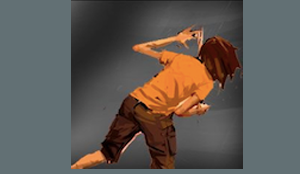
[[Image:supergirl.png|right]]<br/><div style="font-size:10px; color:#333333;font-style:italic;padding:15px 0px 10px 25px;"> | [[Image:supergirl.png|right]]<br/><div style="font-size:10px; color:#333333;font-style:italic;padding:15px 0px 10px 25px;">Remix text and images with the Hackasaurus X Ray Goggles</div> | ||
</div> | </div> | ||
<div style="width:80%;display:block;"> | <div style="width:80%;display:block;"> | ||
Revision as of 15:47, 4 May 2012
How to Write the next episode of Inanimate Alice

Project by Hive NYC

Go to Inanimate Alice to choose an episode

Remix text and images with the Hackasaurus X Ray Goggles
Create a narrative based on Inanimate Alice, while learning how to remix the web with the Hackasaurus X-Ray Goggles in this DIY project from Hive NYC
Step 1:Dive into an existing episode of Inanimate Alice.
Step 2:Install the Hackasaurus X-Ray Goggles
Step 3: Outline your own episode. Things to think about include:
- Character- it could be Alice, it could be anyone!
- Location-pick a country, any country!
- What happens next- is it a mystery the character is try to solve, new friends the character meets, something new the character learns?
Step 4: Create a storyboard or story elements using new or remixed multimedia:
- Drawings
- Images
- Video
- Words
Step 5: Thread the elements together using Hackasaurus to complete your chapter.
- Remix a news website, a blog or a social media site by adding elements to tell your story.
- Go to a website, activate the X-Ray Goggles bookmarklet.
- With the bookmarklet activated you should be able to inspect elements of the page that you want to change.
- Once you have figured out what you want to change, click R to remix. Remix that asset.
- Publish.
Example: Remix a Facebook page to include status updates from Alice.
Step 6: Publish your hacks and share the links. Tweet your links with #hivebuzz hashtag
Step 7: Keep adding popup events to the timeline.