Support/Kitsune/Roadmap-Process: Difference between revisions
No edit summary |
No edit summary |
||
| Line 14: | Line 14: | ||
== 5. Prioritization == | == 5. Prioritization == | ||
Once the decision is made to include the feature on the [https://trello.com/board/sumo-roadmap/4ffc0c84a12b8a3b521d25f7 Kitsune roadmap] the product manager prioritizes it relative to the other items on the roadmap according to [https://docs.google.com/spreadsheet/ccc?key=0AlD_Sn4rUI7VdDRTWUg1SVNZaEF5QkxpSEM3djZ4MVE#gid=0 the overarching SUMO priorities]. | Once the decision is made to include the feature on the [https://trello.com/board/sumo-roadmap/4ffc0c84a12b8a3b521d25f7 Kitsune roadmap] the product manager prioritizes it relative to the other items on the roadmap according to [https://docs.google.com/spreadsheet/ccc?key=0AlD_Sn4rUI7VdDRTWUg1SVNZaEF5QkxpSEM3djZ4MVE#gid=0 the overarching SUMO priorities]. Twice per quarter the team gets together to discuss the roadmap and whether it still reflects the needs of the team. | ||
== 6. Implementation == | |||
The further out stories that are on the Kitsune roadmap the less detailed they are. As they come closer the PM works with the UX designer, devs and stakeholders to specify them in detail, and to break them up into smaller stories that are fed into the sprints as individual tasks. | |||
Revision as of 21:44, 31 July 2012
This document describes the process of making changes to Kitsune, be it in code or in any other way. It's based on a discussion that produced a flipchart diagram: Media:Roadmap-process.jpg
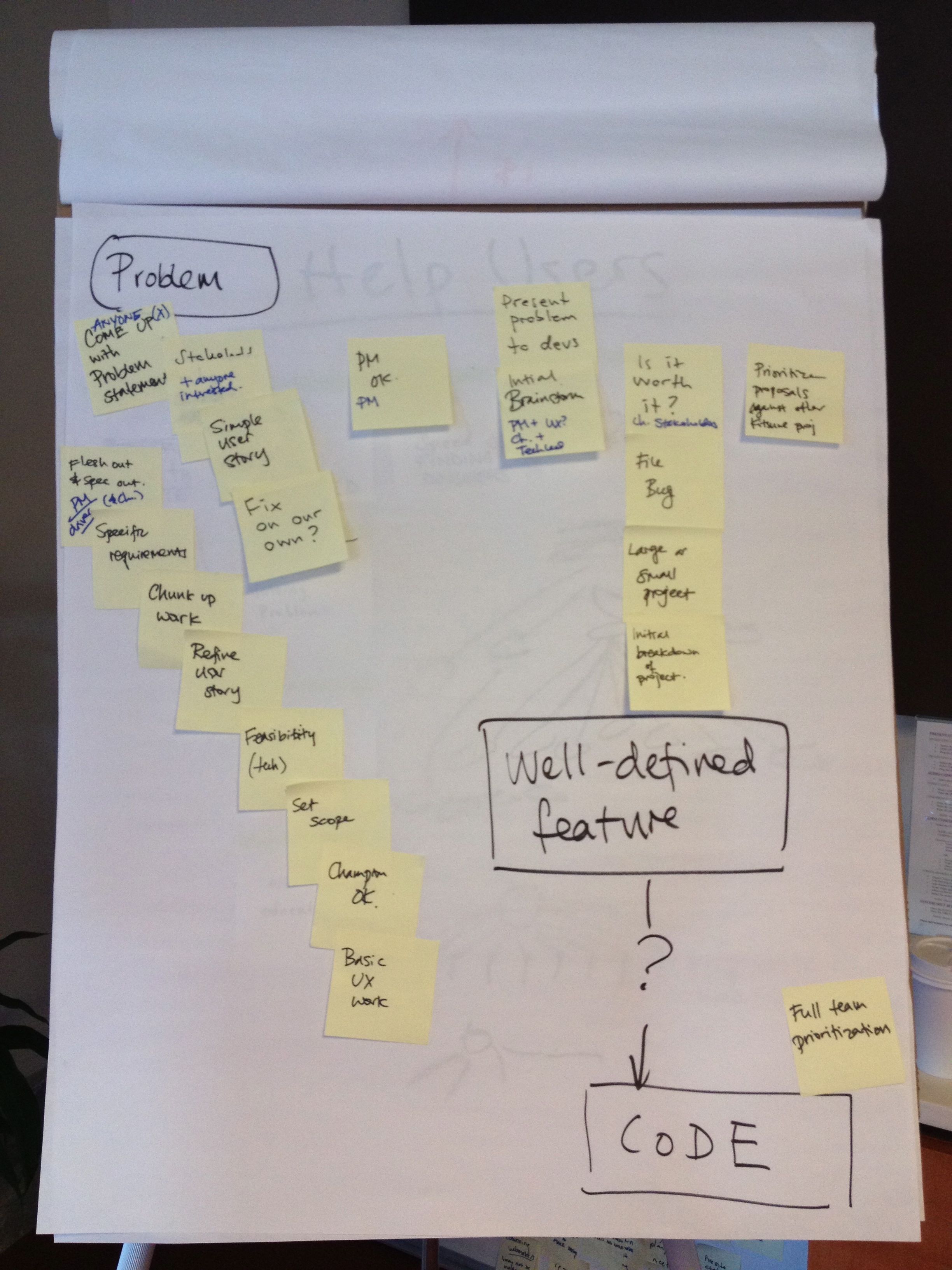
1. Define the problem
If you have an idea, talk to the person who is the champion for a certain part of Kitsune and any other potential stakeholders.
2. Involve product manager
Once you have an idea of what you want and have buy-in from the champion and stake holders get in touch with the product manager for an initial discussion. He has the bigger picture in mind and can give you additional information about other ongoing projects your idea might affect. At this stage the problem statement should be written down in an etherpad. Ideally it is possible to express that as: "I as a (user role) want (function) so that (business value)", or "I as a (type of user) want (a feature), so that I can (accomplish something)", or "I as a (type of user) want to (do something) so that (some value is created)".
3. Meet with developers
If you need to talk to developers to further explore an idea, to get estimates about potential costs, etc, add your idea to the "needs discussion" document and link to its etherpad. Developers will gather once a week to talk about the ideas listed on that page. With some information upfront they can come to the discussion prepared.
4. Make decision
After talking to developers we'll have a problem statement, potential solutions, and cost estimates for those. Now is the time to decide how to proceed. Either by dropping the idea, proceeding by changes that don't need code, by modifying the idea, or by deciding that the solution makes sense and is needed. Changes that affect an area need the buy-in of the champion and code changes require additional buy-in from the product manager.
5. Prioritization
Once the decision is made to include the feature on the Kitsune roadmap the product manager prioritizes it relative to the other items on the roadmap according to the overarching SUMO priorities. Twice per quarter the team gets together to discuss the roadmap and whether it still reflects the needs of the team.
6. Implementation
The further out stories that are on the Kitsune roadmap the less detailed they are. As they come closer the PM works with the UX designer, devs and stakeholders to specify them in detail, and to break them up into smaller stories that are fed into the sprints as individual tasks.