Firefox-te/Windows: Difference between revisions
Arjunaraoc (talk | contribs) m (New page: == విండోస్ Windows xp Installation== == firefox 3.0.2 pre == Download firefox 3.0.2 Telugu language pack and unzip into...) |
Arjunaraoc (talk | contribs) mNo edit summary |
||
| Line 1: | Line 1: | ||
[[Firefox-te| పై పేజీకి]] | |||
= విండోస్ Windows xp Installation= | |||
== firefox 3.0.2 pre == | == firefox 3.0.2 pre == | ||
Download [[media:Firefox-3.0.2pre.te.langpack.xpi.zip | firefox 3.0.2 Telugu language pack ]] and unzip into xpi file. Load the xpi file in Firefox and opt for applying the add-on and restart firefox. You will see the menu in Telugu | Download [[media:Firefox-3.0.2pre.te.langpack.xpi.zip | firefox 3.0.2 Telugu language pack ]] and unzip into xpi file. Load the xpi file in Firefox and opt for applying the add-on and restart firefox. You will see the menu in Telugu | ||
| Line 27: | Line 28: | ||
Note: If you are already using Telugu interface pack for WindowsXP, you will see improved match between telugu font sizes and english font sizes. For a screen shot see [[Media: Firefox_winxp_telugu_lpi.png]] | Note: If you are already using Telugu interface pack for WindowsXP, you will see improved match between telugu font sizes and english font sizes. For a screen shot see [[Media: Firefox_winxp_telugu_lpi.png]] | ||
'''Bold text''' | |||
Revision as of 13:21, 6 September 2008
విండోస్ Windows xp Installation
firefox 3.0.2 pre
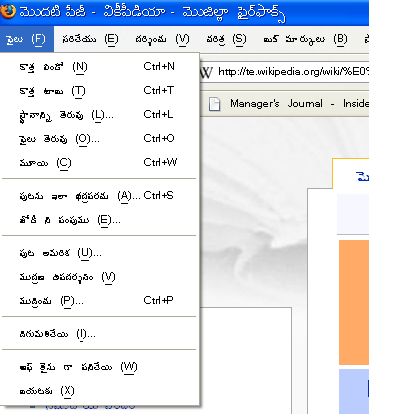
Download firefox 3.0.2 Telugu language pack and unzip into xpi file. Load the xpi file in Firefox and opt for applying the add-on and restart firefox. You will see the menu in Telugu
A screenshort is given below.

firefox 2.0.12
Install Firefox from Firefox site Open Telugu language Pack Default telugu font for menu and content appears too small. It is also half the size of corresponding English
To change, Right click on Desktop, Select Properties Goto Appearance tab, select advanced In that select item "menu" Below select font size as 20 Select item "message box" Below select font size as 20 Select apply
Start Firefox.
The screenshot of firefox on windows is given below.
The default font selection makes telugu menus not readable. A screen shot is given below. Media: Firefox_winxp_default.png
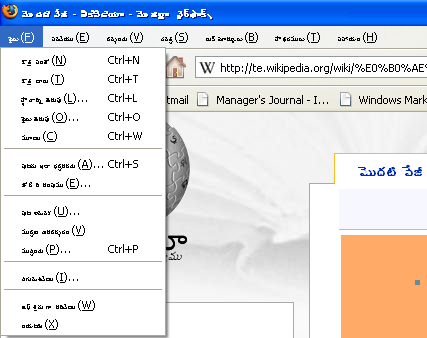
Note: If you are already using Telugu interface pack for WindowsXP, you will see improved match between telugu font sizes and english font sizes. For a screen shot see Media: Firefox_winxp_telugu_lpi.png Bold text