Labs/Memory Profiler
Memory Profiler is an experimental Labs project that attempts to make debugging memory use in web pages easier.
For more information about the tool's design and rationale, see Atul's blog post entitled Web Application Memory Profiling, Take Two.
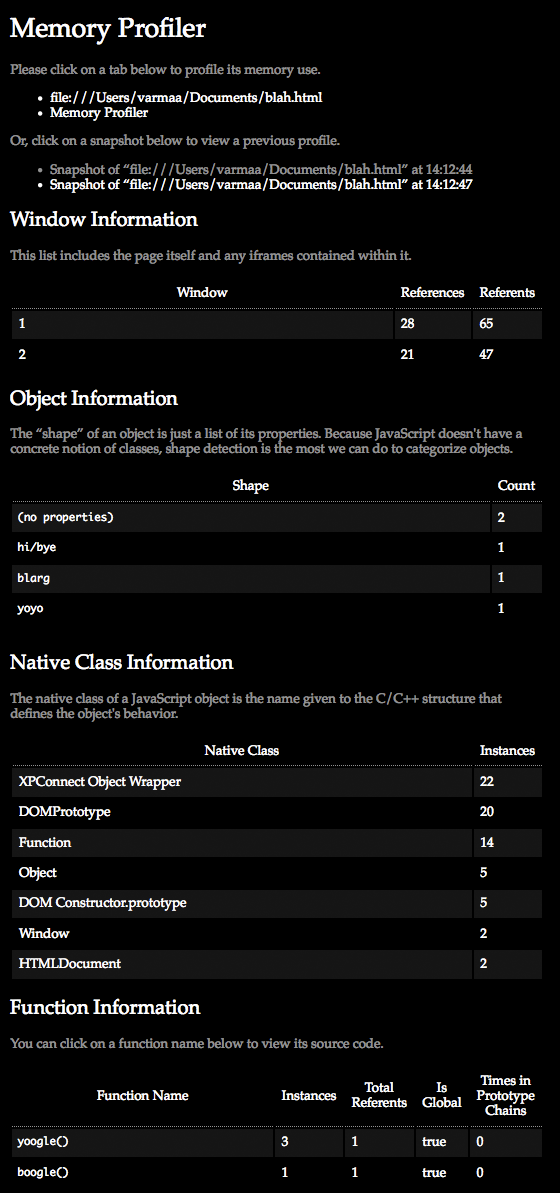
Installation and Use
The Firefox extension is available here:
https://addons.mozilla.org/en-US/firefox/addon/14666/
You can access the tool by going to the "Tools" menu and selecting "Memory Profiler".
Building from Source
Running the extension from the source requires first getting the Jetpack source code here:
http://hg.mozilla.org/labs/jetpack/
You'll need to build the XPCOM component there. In a parallel directory to this repository, clone the Memory Profiler repository:
http://hg.mozilla.org/users/avarma_mozilla.com/memory-profiler/
Understanding the Source
For information on how to create your own custom memory profiling routines, check out the Jetpack Binary Components API.
See Atul's blog post entitled Fun with SpiderMonkey for information on how the memory profiler works.