Webmakers/Projects/InanimateAlice-DIY
Jump to navigation
Jump to search

How to Write the next episode of Inanimate Alice

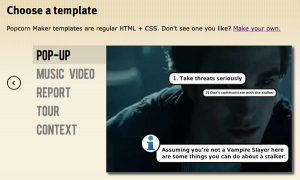
Choose the Popup Template

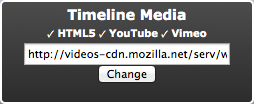
Switch out the URL

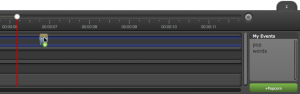
Add Popup events

Save your work, export your code and share your commentary widely
Create a narrative based on Inanimate Alice, while learning how to remix the web with the Hackasaurus X-Ray Goggles in this DIY project from Hive NYC
Step 1:Dive into an existing episode of Inanimate Alice.
Step 2:Install the Hackasaurus X-Ray Goggles
Step 3: Outline your own episode. Things to think about include:
- Character- it could be Alice, it could be anyone!
- Location-pick a country, any country!
- What happens next- is it a mystery the character is try to solve, new friends the character meets, something new the character learns?
Step 4: Create a storyboard or story elements using new or remixed multimedia:
- Drawings
- Images
- Video
- Words
Step 5: Thread the elements together using Hackasaurus to complete your chapter.
- Remix a news website, a blog or a social media site by adding elements to tell your story. Go to a website, activate the X-Ray Goggles bookmarklet. With the bookmarklet activated you should be able to inspect elements of the page that you want to change. Once you have figured out what you want to change, click R to remix. Remix that asset and then Publish.
Example: Remix a Facebook page to include status updates from Alice.
Step 6: Publish your hacks and share the links. Tweet your links with #hivebuzz hashtag
Step 7: Keep adding popup events to the timeline.