Webmakers/Projects: Difference between revisions
No edit summary |
No edit summary |
||
| Line 17: | Line 17: | ||
* learn the basics of webmaking skills like HTML and CSS. | * learn the basics of webmaking skills like HTML and CSS. | ||
<b>We're preparing a set of these projects for the Mozilla Summer Code Party.</b> The goal: teach the world the basics of coding and webmaking. Through bite-sized experiences that are easy, social and fun. Partners and | <b>We're preparing a set of these projects for the Mozilla Summer Code Party.</b> The goal: teach the world the basics of coding and webmaking. Through bite-sized experiences that are easy, social and fun. Partners and contributors will be able to share their own projects as well. | ||
<h3> Tell us what you think</h3> | <h3> Tell us what you think</h3> | ||
<b>We're looking for | <b>We're looking for testers like you for the beta projects below</b>. Are they: | ||
* <b>Easy to use?</b> Where do things feel confusing or broken? Is it easy to dive in and get started? | * <b>Easy to use?</b> Where do things feel confusing or broken? Is it easy to dive in and get started? | ||
* <b>Helpful for learning?</b> Do they serve the goal of teaching HTML, CSS and other webmaking basics? | * <b>Helpful for learning?</b> Do they serve the goal of teaching HTML, CSS and other webmaking basics? | ||
| Line 34: | Line 34: | ||
< | <h3>Hack the web arcade</h3> | ||
[[Image:arcademap.jpg |270px|left]] | [[Image:arcademap.jpg |270px|left]] | ||
<p>HTML is a funny-looking language. It's written in brackets like <this> and </this> and sometimes uses quotes "like this." In this project, you journey through the world of HTML by exploring the syntax behind it. Use the comments written */ between these */ signs to navigate your way. Your goal: fix a broken map of the web arcade to unlock new missions and explore brave new webby worlds. | <p>HTML is a funny-looking language. It's written in brackets like <this> and </this> and sometimes uses quotes "like this." In this project, you journey through the world of HTML by exploring the syntax behind it. Use the comments written */ between these */ signs to navigate your way. Your goal: fix a broken map of the web arcade to unlock new missions and explore brave new webby worlds. | ||
</p> | </p> | ||
'''Tool:'''Webpage Maker | '''Tool:'''Webpage Maker '''Skills:''' HTML''' Difficulty:'''Easy''' | ||
<h3>[http://htmlpad.org/mapofthearcade/edit GO!]</h3> | <h3>[http://htmlpad.org/mapofthearcade/edit GO!]</h3> | ||
< | <h3>Make your own "webstructable" how-to</h3> | ||
[[Image:webstructables.jpg|270px|left]] | [[Image:webstructables.jpg|270px|left]] | ||
<p>This project lets you create your own web page tutorial. Use your new-found HTML, CSS and Popcorn wisdom to create the world's greatest how-to. What do you want to make today? | <p>This project lets you create your own web page tutorial. Use your new-found HTML, CSS and Popcorn wisdom to create the world's greatest how-to. What do you want to make today? | ||
| Line 48: | Line 48: | ||
<h3>[http://htmlpad.org/webstructables/edit GO!]</h3> | <h3>[http://htmlpad.org/webstructables/edit GO!]</h3> | ||
< | <h3>Make ugly '90s pages pretty</h3> | ||
[[Image:stuck90s.png|270px|left]] | [[Image:stuck90s.png|270px|left]] | ||
<p>Everyone has an embarrassing moment. For the | <p>Everyone has an embarrassing moment. For the web it was the '90s. Back then, websites were boxy and ugly -- kind of like this page! Wrangle your HTML and CSS style powers to change the content, colors and layout to drag these webpage out of the grungey '90s. | ||
</p> | </p> | ||
'''Tool:''' | '''Tool:'''Webpage Maker '''Skills:''' HTML and CSS, web design ''' Difficulty:'''Intermediate | ||
<h3> | <h3>GO!</h3> | ||
< | <h3>Remix your own TV commercial</h3> | ||
[[Image:popdiy.png|270px|left]] | [[Image:popdiy.png|270px|left]] | ||
<p>Add your own voice to | <p>Add your own voice to a cheesy old commercial. Add pop-ups and commentary, change meanings, and hack pop culture using Mozilla Popcorn. | ||
</p> | </p> | ||
<p>'''Tool:''' | <p>'''Tool:'''Popcornm '''Skills:''' remix, web design ''' Difficulty:'''Intermediate</p><br> | ||
<h3>[https://wiki.mozilla.org/Webmakers/Projects/Popcorn-DIY | <h3>[https://wiki.mozilla.org/Webmakers/Projects/Popcorn-DIY GO!]</h3> | ||
< | <h3>Create your own "Inanimate Alice" story</h3> | ||
[[Image:iathumb.png|270px|left]] | [[Image:iathumb.png|270px|left]] | ||
<p> | <p>This project uses the popular "Inanimate Alice" interactive novel and Mozilla Hackasaurus to create narrative mayhem. Youth can create their own narrative using characters and a storyline they create, learning how to remix the web along the way. | ||
</p> | </p> | ||
<p>'''Tool:'''Hackasaurus '''Skills:''' HTML & CSS, writing, | <p>'''Tool:'''Hackasaurus '''Skills:''' HTML & CSS, writing, storytelling ''' Difficulty:'''Easy</p> | ||
<h3>[https://wiki.mozilla.org/Webmakers/Projects/InanimateAlice-DIY | <h3>[https://wiki.mozilla.org/Webmakers/Projects/InanimateAlice-DIY GO!]</h3> | ||
Revision as of 22:46, 4 May 2012
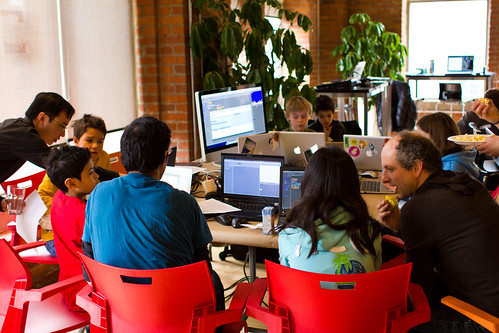
Help test these new Webmaker Projects
Help kick the tires on the beta projects below. Are they easy to use? Helpful for learning? Fun?
Let us know by filling out this super fast and easy survey:
What are these "Webmaker Projects," anyway?
Learning by making. Webmaker projects are designed to help you make something amazing on the web fast.
Using Mozilla Webmaker tools like Popcorn, Hackasaurus, and Webpage Maker, you can:
- remix web sites to make them your own,
- make your own pages, interactive videos and other great stuff in a matter of minutes,
- learn the basics of webmaking skills like HTML and CSS.
We're preparing a set of these projects for the Mozilla Summer Code Party. The goal: teach the world the basics of coding and webmaking. Through bite-sized experiences that are easy, social and fun. Partners and contributors will be able to share their own projects as well.
Tell us what you think
We're looking for testers like you for the beta projects below. Are they:
- Easy to use? Where do things feel confusing or broken? Is it easy to dive in and get started?
- Helpful for learning? Do they serve the goal of teaching HTML, CSS and other webmaking basics?
- Fun? That's crucial! Where are they most fun? Where do they lag?
Webmaker Beta Projects: test 'em out now
Make your own meme

Do you have what it takes to go viral and become internet famous? Prove it. This project let's you use your HTML and CSS swagger to create your own web page -- featuring a meme to conquer all internet memes. Let your inner serious cat or Ryan Gosling hey girl shine.
Tools used:WebPagemaker Skills: HTML & CSS, design thinking Difficulty:Intermediate
GO!
Hack the web arcade

HTML is a funny-looking language. It's written in brackets like <this> and </this> and sometimes uses quotes "like this." In this project, you journey through the world of HTML by exploring the syntax behind it. Use the comments written */ between these */ signs to navigate your way. Your goal: fix a broken map of the web arcade to unlock new missions and explore brave new webby worlds.
Tool:Webpage Maker Skills: HTML Difficulty:Easy
GO!
Make your own "webstructable" how-to

This project lets you create your own web page tutorial. Use your new-found HTML, CSS and Popcorn wisdom to create the world's greatest how-to. What do you want to make today?
Tool:Webpage Maker Skills: HTML & CSS, Popcorn, teaching others Difficulty: Advanced
GO!
Make ugly '90s pages pretty

Everyone has an embarrassing moment. For the web it was the '90s. Back then, websites were boxy and ugly -- kind of like this page! Wrangle your HTML and CSS style powers to change the content, colors and layout to drag these webpage out of the grungey '90s.
Tool:Webpage Maker Skills: HTML and CSS, web design Difficulty:Intermediate
GO!
Remix your own TV commercial

Add your own voice to a cheesy old commercial. Add pop-ups and commentary, change meanings, and hack pop culture using Mozilla Popcorn.
Tool:Popcornm Skills: remix, web design Difficulty:Intermediate
GO!
Create your own "Inanimate Alice" story

This project uses the popular "Inanimate Alice" interactive novel and Mozilla Hackasaurus to create narrative mayhem. Youth can create their own narrative using characters and a storyline they create, learning how to remix the web along the way.
Tool:Hackasaurus Skills: HTML & CSS, writing, storytelling Difficulty:Easy